

Diriger une petite ou moyenne entreprise, c'est porter plusieurs chapeaux et jongler avec de multiples systèmes logiciels. Vous avez un outil pour la comptabilité, un autre pour les stocks, un troisième pour la gestion des clients et, avant même de vous en rendre compte, vous vous noyez dans les abonnements, les doubles saisies de données et les systèmes déconnectés qui ne communiquent pas entre eux. Cela vous semble familier ?
Voici ce qui change la donne : Les systèmes de planification des ressources de l'entreprise (ERP) peuvent consolider toutes vos opérations commerciales au sein d'une plateforme intégrée, ce qui peut vous permettre d'économiser de $20 000 à $100 000+ par an tout en améliorant considérablement l'efficacité. Mais face à la multitude d'options disponibles sur le marché, comment choisir la bonne sans se ruiner ?
Ce guide complet présente les meilleurs systèmes ERP pour les petites et moyennes entreprises, compare les prix de manière transparente, explore comment des solutions telles qu'Odoo peuvent permettre de réaliser des économies massives, et fournit des avantages et des inconvénients concrets pour vous aider à prendre la décision la plus judicieuse pour votre entreprise en 2025.
Table des matières
- Qu'est-ce qu'un système ERP et pourquoi votre petite entreprise devrait-elle s'en préoccuper ?
- Le véritable coût des systèmes ERP : Ventilation transparente des prix pour 2025
- Les meilleurs systèmes ERP pour les petites et moyennes entreprises : Comparaison détaillée
- 1. Odoo ERP : Le champion du budget
- 2. Microsoft Dynamics 365 Business Central : Le gagnant de l'écosystème Microsoft
- 3. NetSuite : La superstar de la mise à l'échelle
- 4. SAP Business One : la fiabilité de l'entreprise pour les PME
- 5. Acumatica : Le champion des utilisateurs illimités
- Comment les systèmes ERP permettent à votre entreprise d'économiser de l'argent
- Le calendrier du retour sur investissement : Quand atteindrez-vous le seuil de rentabilité ?
- ERP en nuage ou sur site : quel modèle de déploiement vous convient le mieux ?
- Avantages et inconvénients des systèmes ERP : une vue d'ensemble
- Choisir le bon ERP : Votre liste de contrôle
- Focus spécial : Pourquoi Odoo s'impose souvent aux petites entreprises
- Prendre la décision finale : Mesures à prendre
- Le bilan : Résumé de votre investissement ERP
- Référence rapide : Tableau de comparaison des systèmes ERP
Qu'est-ce qu'un système ERP et pourquoi votre petite entreprise devrait-elle s'en préoccuper ?
Un Système de planification des ressources de l'entreprise (ERP) est une plate-forme logicielle intégrée qui gère et automatise vos principaux processus commerciaux - de la comptabilité à l'inventaire, en passant par les ventes, les achats, les ressources humaines et la gestion de la relation client - le tout dans une base de données centralisée.
Considérez-le comme le système nerveux central de votre entreprise. Au lieu d'avoir des informations dispersées dans des feuilles de calcul, des chaînes de courrier électronique et des applications déconnectées, un ERP vous donne une source unique de vérité où les données circulent de manière transparente entre les départements.
Pourquoi les petites entreprises ont besoin d'un ERP :
- Mettre fin au cauchemar de l'abonnement logiciel: La petite entreprise moyenne utilise 5 à 10 outils logiciels différents, ce qui représente un coût annuel de $15.000 à $60.000. Un ERP consolide ces outils en un seul système.
- Éliminer la saisie manuelle des données: Des études montrent que les systèmes ERP réduisent la saisie manuelle de données de 15 à 20 heures par semaine.
- Prendre des décisions plus rapides et plus intelligentes: Des tableaux de bord et des rapports en temps réel vous donnent une visibilité instantanée sur la santé de votre entreprise.
- L'échelle sans le chaos: Au fur et à mesure que vous vous développez, votre ERP évolue avec vous - plus besoin de remplacer les systèmes.
- Réduire les coûts opérationnels de 15-23%: Les entreprises qui mettent en œuvre un système ERP constatent une réduction significative de leurs dépenses administratives, informatiques et opérationnelles.
Le meilleur tableau de bord ERP | InetSoft Technology
Le véritable coût des systèmes ERP : Ventilation transparente des prix pour 2025
Ne nous contentons pas de parler de marketing, mais de chiffres concrets. Les prix des ERP varient considérablement en fonction de la taille de l'entreprise, de ses besoins et du modèle de déploiement, mais voici ce que vous pouvez raisonnablement vous attendre à investir :
Petites entreprises (1-10 employés, $1-5M de chiffre d'affaires)
- Coût mensuel du logiciel: $1,740 - $4,620
- Coût de la mise en œuvre: $25,000 - $150,000
- Coût total de la première année: $30,000 - $75,000
- Coût annuel après la première année: $20,000 - $55,000
Entreprise de taille moyenne (50-200 employés, $5-50M de chiffre d'affaires)
- Coût mensuel du logiciel: $4,620 - $6,160
- Coût de la mise en œuvre: $150,000 - $750,000
- Coût total de la première année: $200,000 - $800,000
- Coût annuel après la première année: $55,000 - $75,000
Remarque importante: Le coût de mise en œuvre est généralement un investissement unique qui comprend la migration des données, la formation, la personnalisation et la configuration du système. Les ERP basés sur le cloud ont généralement des coûts de mise en œuvre inférieurs à ceux des solutions sur site.
Analyse du coût par utilisateur
Les études menées par le secteur montrent que le coût moyen par utilisateur sur une période de 5 ans est de
- Petites entreprises: $7,143 par utilisateur
- Entreprises de taille moyenne: $8,542 par utilisateur
- Grandes entreprises: $7,257 par utilisateur
Par ailleurs, de nombreuses entreprises prévoient dans leur budget 3-6% des recettes annuelles pour la mise en œuvre de leur ERP.
Les meilleurs systèmes ERP pour les petites et moyennes entreprises : Comparaison détaillée
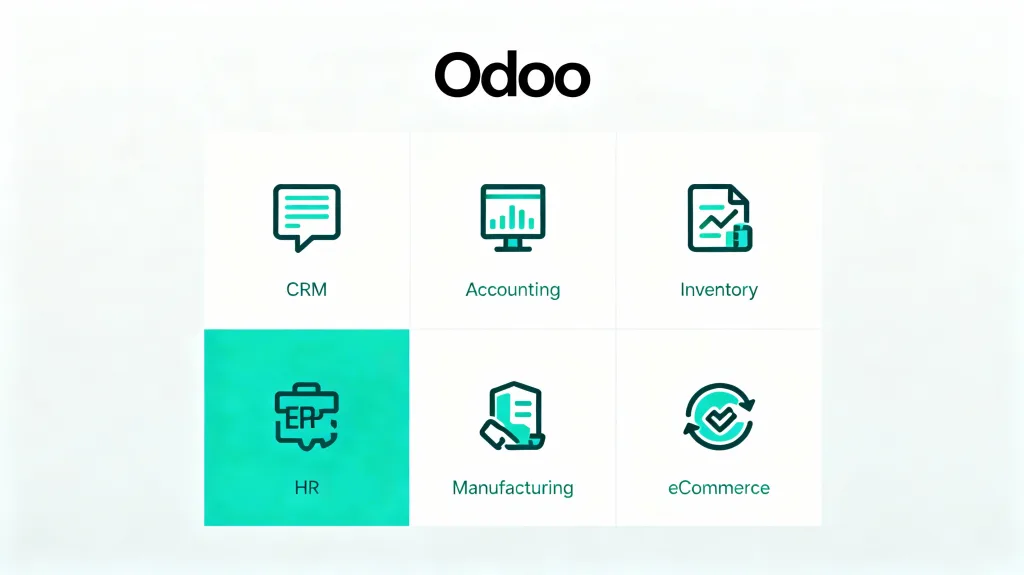
1. Odoo ERP: Le champion du budget
Odoo se distingue comme l'une des solutions ERP les plus rentables et les plus flexibles, en particulier pour les petites et moyennes entreprises qui surveillent leur budget.
Structure des prix (2025) :
- Une application gratuite: $0 (parfait pour les tests)
- Plan standard: $24.90/utilisateur/mois (facturation annuelle, économies 20-25%)
- Plan personnalisé: $37.40/utilisateur/mois (facturation annuelle)
Exemple concret: Une entreprise de 10 employés utilisant CRM, Comptabilité et Inventaire paierait environ 1T4T2,988/an pour le plan Standard, plus 1T4T1,000-1T4T5,000 pour l'implémentation - un investissement total de première année inférieur à 1T4T8,000.
Caractéristiques principales :
- Plus de 70 applications modulaires (CRM, comptabilité, inventaire, fabrication, commerce électronique, RH, gestion de projet)
- L'édition communautaire open-source est disponible gratuitement
- Hautement personnalisable sans codage intensif (Odoo Studio)
- Constructeur de site web intégré et plateforme de commerce électronique
- Excellent pour les entreprises qui souhaitent démarrer à petite échelle et s'agrandir
Pour :
- Une valeur imbattable: Fournit 80% de fonctionnalités ERP d'entreprise à moins d'un tiers du prix de la concurrence
- Flexibilité modulaire: Ne payez que pour les applications que vous utilisez réellement
- Pas de restrictions pour les utilisateurs sur l'édition communautaire gratuite
- Avantages des logiciels libres: Pas de verrouillage des fournisseurs, soutien de la communauté
- Mise en œuvre rapide: Peut être déployé en quelques semaines plutôt qu'en quelques mois
Cons :
- L'édition communautaire manque de soutien professionnel (elle doit s'appuyer sur des forums ou faire appel à des consultants)
- Les fonctions d'entreprise nécessitent des abonnements payants
- Certaines personnalisations peuvent nécessiter une expertise technique
- Variations régionales des prix (moins élevés en Inde, plus élevés sur les marchés occidentaux)
Potentiel de réduction des coûts: Les entreprises qui passent d'un ERP traditionnel à Odoo économisent en moyenne de $30,000 à $70,000 par an tout en bénéficiant de meilleures fonctionnalités.
2. Microsoft Dynamics 365 Business Central: Le gagnant de l'écosystème Microsoft
Parfait pour les entreprises qui utilisent déjà des produits Microsoft comme Office 365, Outlook, Teams et Excel.
Tarification (à partir d'octobre 2025) :
- L'essentiel: $80/utilisateur/mois
- Prime: $110/utilisateur/mois
- Membre de l'équipe: $8/utilisateur/mois (accès limité)
- Coût de la mise en œuvre: $40,000-$100,000+
Exemple pour 10 utilisateurs: Essentiels = 1T4T9 600/an en licences + mise en œuvre = 1T4T50 000-1T4T110 000 au total la première année.
Caractéristiques principales :
- Intégration transparente à l'écosystème Microsoft 365
- Gestion financière avec rapports en temps réel
- Automatisation de la chaîne d'approvisionnement et prévision de la demande
- Power BI intégré pour des analyses avancées
- Évolutif de la petite entreprise à l'entreprise
Pour :
- Intégration native de Microsoft: Fonctionne parfaitement avec Outlook, Excel, Teams, OneDrive
- Interface conviviale: L'aspect et la convivialité familiers de Microsoft réduisent le temps de formation.
- Un réseau de soutien solide: Vaste écosystème de partenaires à l'échelle mondiale
- Native de l'informatique en nuage: Mises à jour automatiques, pas de maintenance du serveur
- Une sécurité robuste: Protocoles de sécurité Microsoft de niveau entreprise
Cons :
- Coût plus élevé: Parmi les options les plus coûteuses pour les PME
- Complexité de la mise en œuvre: Le déploiement complet peut prendre de 6 à 12 mois
- Coûts supplémentaires: Frais supplémentaires pour le stockage, les environnements et les modules
- Moins de flexibilité: La personnalisation nécessite souvent l'expertise d'un développeur
Meilleur pour: Les entreprises de 25 à 200 employés qui accordent la priorité à l'intégration Microsoft et qui disposent du budget nécessaire pour une solution haut de gamme.
3. NetSuite: La superstar de l'escalade
Oracle NetSuite est le choix idéal pour les entreprises qui prévoient une croissance rapide ou qui gèrent plusieurs entités.
Fixation des prix (2025) :
- Licence de base: $999/mois minimum (facturé annuellement)
- Licences d'utilisation: $99-$120/user/month
- Modules complémentaires: $199-$1,999 l'unité
- Mise en œuvre: $50.000-$100.000+ pour les déploiements de taille moyenne
Exemple réaliste: Une entreprise de 20 employés disposant d'une comptabilité de base et d'un système de gestion de la relation client (CRM) peut s'attendre à un coût total de $60 000-$120 000 pour la première année.
Caractéristiques principales :
- Suite complète basée sur le cloud (ERP, CRM, eCommerce, PSA)
- Consolidation multi-filiale et contrôles financiers globaux
- Tableaux de bord et rapports en temps réel
- Fonctionnalité spécifique à l'industrie
- Intelligence économique intégrée
Pour :
- Excellente évolutivité: Gère la croissance de 10 à plus de 1 000 employés
- Plate-forme unifiée: Tout dans un seul système en nuage, aucune intégration n'est nécessaire
- Fort pour les entités multiples: Parfait pour les entreprises ayant plusieurs sites ou marques
- Mises à jour régulières: Amélioration continue des fonctionnalités
- Fonctionnalité complète: Réduit la nécessité de recourir à des modules complémentaires tiers
Cons :
- Coûteux pour les petites entreprises: Le prix de base est élevé au départ et augmente rapidement
- Une tarification complexe: De nombreuses variables rendent l'établissement d'un budget difficile
- Une mise en œuvre plus longue: Généralement de 4 à 9 mois
- Engagement annuel requis: Flexibilité limitée des conditions contractuelles
- L'assistance Premium coûte plus cher: Prise en charge de base incluse, mais la prise en charge améliorée ajoute 20%+ aux droits de licence
Meilleur pour: Entreprises en croissance avec un chiffre d'affaires de $5M+, plusieurs entités ou des opérations complexes qui justifient l'investissement.
4. SAP Business One: Fiabilité de l'entreprise pour les PME
La solution SAP est conçue spécifiquement pour les petites et moyennes entreprises, offrant des fonctionnalités de niveau entreprise à des prix accessibles.
Fixation des prix (2025) :
- Paquet de départ (jusqu'à 5 utilisateurs) : 1 140 €/utilisateur (environ $1 230) licence perpétuelle unique OU 38 €/mois ($41) abonnement en nuage
- Utilisateur limité: 1 400 € ($1 510) perpétuel OU 47 €/mois ($51) en nuage
- Utilisateur professionnel: €2,700 ($2,915) perpétuel OU €91/mois ($98) en nuage
- Mise en œuvre: $12,000-$50,000 en fonction de la complexité
Caractéristiques principales :
- Gestion financière globale
- Gestion des stocks et des entrepôts
- Ventes, achats et CRM
- Fonctionnalité spécifique à l'industrie
- Disponible sur site ou en nuage
Pour :
- Accès à l'écosystème SAP: Bénéficier de la réputation et de la technologie de SAP
- Point d'entrée abordable: Le pack de démarrage rend SAP accessible aux petites entreprises
- Déploiement flexible: Choisissez un abonnement cloud ou une licence perpétuelle
- Fort dans l'industrie manufacturière: Excellentes caractéristiques de la chaîne de production et d'approvisionnement
- Soutien global: Vaste réseau de partenaires dans le monde entier
Cons :
- Interface ancienne: Peut sembler dépassé par rapport aux ERP modernes dans le nuage
- Complexité de la personnalisation: Nécessite souvent l'intervention de consultants spécialisés
- Coûts cachés: Les modules complémentaires et l'assistance continue peuvent augmenter le coût total.
- Mises à jour plus lentes: La version sur site nécessite des mises à jour manuelles
Meilleur pour: Entreprises de fabrication et de distribution comptant entre 10 et 100 employés et souhaitant bénéficier de la fiabilité de SAP sans avoir à payer le prix de l'entreprise.
5. Acumatica: Le champion des utilisateurs illimités
Le modèle de tarification unique d'Acumatica, basé sur la consommation, signifie un nombre illimité d'utilisateurs - vous payez en fonction des ressources utilisées, et non des effectifs.
Fixation des prix (2025) :
- Non divulgué publiquement: Nécessite la consultation d'un partenaire VAR
- Fourchette estimée: $10.000-$80.000 par an pour la licence
- Mise en œuvre: $25,000-$200,000+
- Coût mensuel type: $1,800-$3,000 pour les petites et moyennes entreprises
Modèle de tarification: Basé sur le volume de transactions et les ressources informatiques, et non sur le nombre d'utilisateurs.
Caractéristiques principales :
- Architecture en nuage
- Gestion financière, distribution, fabrication
- CRM intégré et comptabilité de projet
- Rapports et tableaux de bord avancés
- API conviviale pour les intégrations
Pour :
- Nombre illimité d'utilisateurs: Révolutionnaire pour les entreprises employant de nombreux salariés
- Tarification basée sur la consommation: Payez pour ce que vous utilisez, pas par siège
- Hautement personnalisable: Personnalisation étendue sans ajouts coûteux
- Une communauté forte: Communauté d'utilisateurs et partenaires de développement actifs
- Éditions de l'industrie: Préconfiguré pour des marchés verticaux spécifiques
Cons :
- Tarification opaque: Doit passer par des partenaires, pas de tarification publique
- Coûts variables: La tarification basée sur les transactions peut être imprévisible
- Dépendance à l'égard des partenaires: La qualité de la mise en œuvre varie selon les partenaires
- Courbe d'apprentissage: Plus complexe que les ERP plus simples axés sur la comptabilité
Meilleur pour: Les entreprises en croissance (50-250 employés) avec un grand nombre d'utilisateurs qui veulent éviter les licences par siège.
6. Options gratuites et open-source : ERPNext et Dolibarr
Pour les startups soucieuses de leur budget ou les entreprises disposant de capacités techniques, les ERP gratuits à code source ouvert offrent des fonctionnalités surprenantes.
- Coût: Gratuit (auto-hébergement) ou $50-$100/mois pour l'hébergement en nuage
- Mise en œuvre: $0-$15 000 selon qu'il s'agit d'un bricoleur ou d'un consultant
- Caractéristiques: Comptabilité, inventaire, CRM, RH, fabrication, gestion de projet
- Nombre illimité d'utilisateurs sur le volet gratuit
- Coût: Libre et gratuit
- Caractéristiques: Comptabilité, CRM, RH, inventaire, facturation
- Facile à maîtriser avec une interface simple
Pour :
- Aucun coût de licence: Téléchargement et utilisation entièrement gratuits
- Pas de verrouillage des fournisseurs: Contrôle total de votre système
- Communautés actives: Forums d'utilisateurs et documentation solides
- Hautement personnalisable: Accès au code source pour les modifications
Cons :
- Expertise technique requise: La mise en œuvre et la maintenance nécessitent des compétences informatiques
- Pas de soutien officiel: S'appuyer sur la communauté ou sur des consultants rémunérés
- Intégrations limitées: Peut nécessiter un développement personnalisé pour les outils tiers
- Limites d'échelle: Peut dépasser les capacités au fur et à mesure de l'expansion de l'entreprise
Meilleur pour: Startups, développeurs ou entreprises de moins de $1M de chiffre d'affaires prêts à investir du temps plutôt que de l'argent.
Les meilleurs logiciels de comptabilité pour les petites entreprises
Comment les systèmes ERP permettent à votre entreprise d'économiser de l'argent
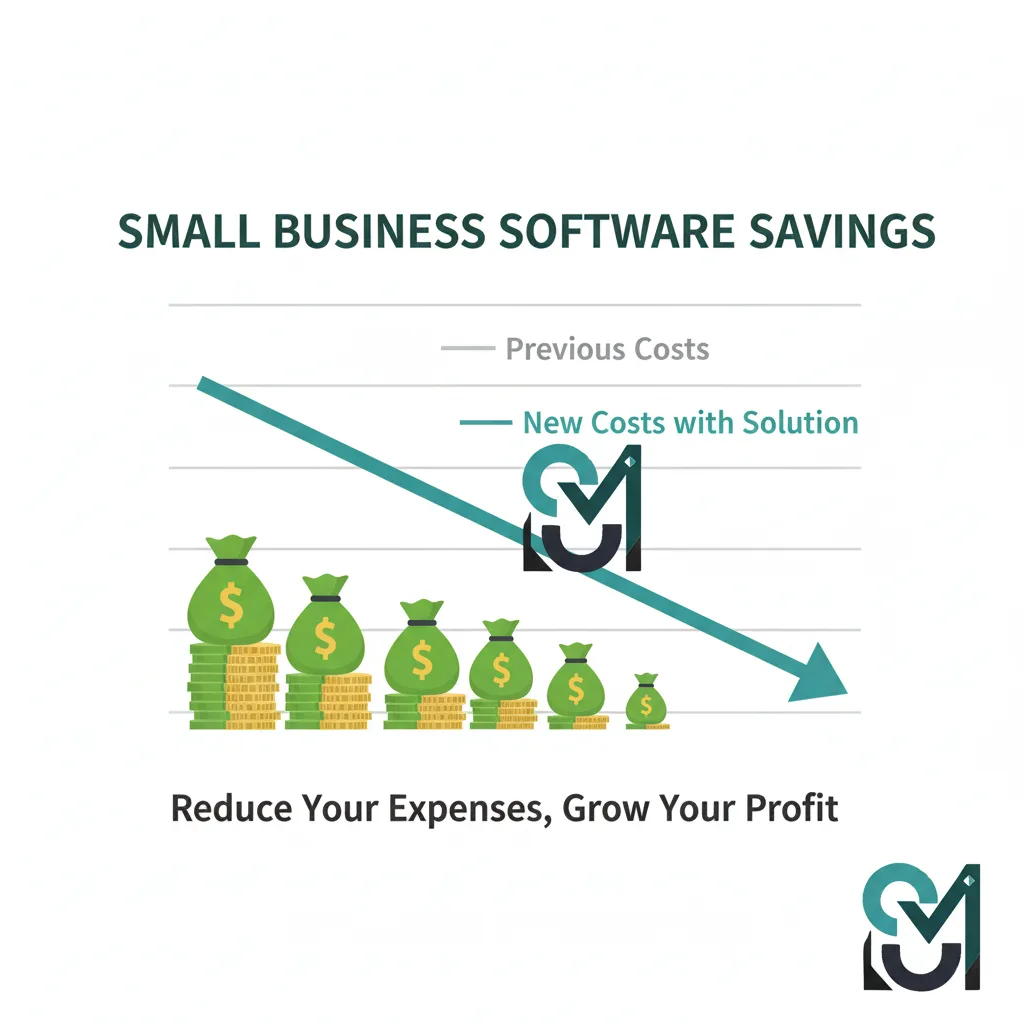
Au-delà de la consolidation des abonnements aux logiciels, les systèmes ERP permettent de réaliser des économies quantifiables dans de nombreux domaines :
1. Réduction des coûts de main-d'œuvre grâce à l'automatisation
- Suppression de la saisie manuelle des données: Économiser 15 à 20 heures par semaine que les employés consacraient à la saisie de données en double
- Facturation automatisée: Un cabinet de conseil a économisé 12 heures par semaine et réduit les erreurs de facturation de 90%
- Rationalisation de la paie: Une étude de cas a montré une réduction de 84% du temps de traitement des salaires.
2. Réduction des coûts de l'infrastructure informatique
- Économies de consolidation: Les entreprises réduisent leurs coûts informatiques de 30% en remplaçant plusieurs systèmes par un seul ERP.
- Avantages du déploiement en nuage: Pas d'achat de matériel serveur, pas de personnel informatique dédié à la maintenance
- Mises à jour automatiques: Les ERP en nuage se mettent à jour automatiquement - pas de projets de mise à niveau coûteux
3. Optimisation des stocks et de la chaîne d'approvisionnement
- Meilleure prévision de la demande: Réduire les coûts de possession des stocks de 18-25%
- Prévenir les ruptures de stock et le surstockage: La visibilité des stocks en temps réel réduit les déchets
- Exécution plus rapide des commandes: Un fabricant texan a amélioré la vitesse de traitement des commandes de 25% et économisé $120 000 par an sur les stocks.
4. Amélioration de la gestion des flux de trésorerie
- Une facturation plus rapide: La facturation automatisée accélère le recouvrement des paiements
- Meilleure visibilité financière: Des tableaux de bord en temps réel pour optimiser le fonds de roulement
- Réduction des erreurs: Moins d'erreurs, c'est moins de remboursements et de corrections
5. Exemples d'économies dans le monde réel
Sur la base d'études de cas documentées :
- Petit fabricant (10 employés): Économie annuelle de $7,000-$10,000 en consolidant les systèmes et en réduisant les coûts d'inventaire de 18%
- Commerce de détail (25 employés): Économie annuelle de $10.000-$18.000 grâce à 40% un traitement plus rapide des commandes et un meilleur suivi
- Entreprise de distribution (50 employés): Économie de $15,000-$30,000 par an en réduisant les coûts informatiques de 30% et en améliorant l'efficacité opérationnelle.
- Entreprise de services (15 employés): Économie de $8,000-$12,000 par an en éliminant 90% d'erreurs de facturation et en économisant 12 heures par semaine.
Le calendrier du retour sur investissement : Quand atteindrez-vous le seuil de rentabilité ?
La plupart des petites entreprises obtiennent un retour sur investissement positif dans un délai de 6-12 mois après la mise en service de leur système ERP. Voici à quoi ressemble le parcours type d'un retour sur investissement :
Mois 1 à 3 (phase de mise en œuvre)
- Période d'investissement initial
- Formation et migration des données
- Baisse temporaire de la productivité pendant la période de transition
Mois 4-6 (prestations anticipées)
- La réduction de la saisie manuelle des données devient évidente
- Moins d'erreurs de facturation et d'inventaire
- Premiers gains d'efficacité réalisés
Mois 7-12 (ROI positif)
- 15-20% : la réduction des coûts opérationnels se met en place
- Les gains de temps s'accumulent (15 à 20 heures par semaine)
- L'optimisation des stocks permet de réaliser des économies
- La plupart des entreprises atteignent leur seuil de rentabilité
Année 2 et au-delà (valeur maximale)
- Poursuite de la réduction des coûts
- L'évolutivité permet de soutenir la croissance sans augmentation proportionnelle des coûts
- Les décisions fondées sur des données améliorent la rentabilité
- Le retour sur investissement atteint généralement 200-300% au cours de la troisième année.
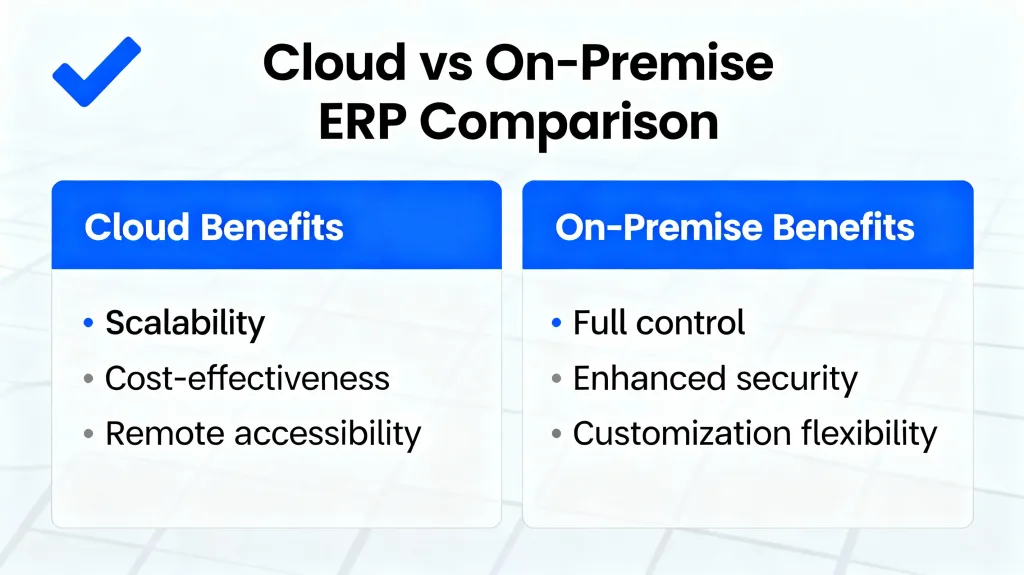
ERP en nuage ou sur site : quel modèle de déploiement vous convient le mieux ?
Cette décision fondamentale a une incidence sur les coûts, le calendrier de mise en œuvre et la maintenance continue.
ERP en nuage (SaaS)
Comment cela fonctionne-t-il ?: Logiciel hébergé par le vendeur, accessible par internet, payé mensuellement/annuellement.
Modèle de tarification: Abonnement, généralement $20-$200/utilisateur/mois.
Avantages :
- Des coûts initiaux moins élevés: Pas d'achat de matériel, typiquement 75-90% moins d'investissement initial
- Une mise en œuvre plus rapide: Déploiement en 3 à 6 mois contre 12 à 24 mois pour un déploiement sur site
- Mises à jour automatiques: Toujours sur la dernière version, pas de frais de mise à jour
- Accès partout: Travailler à partir de n'importe quel appareil disposant d'une connexion internet
- Des coûts prévisibles: L'abonnement mensuel fixe facilite l'établissement du budget
- Réduction de la charge informatique: Le fournisseur s'occupe de la maintenance, de la sécurité et des sauvegardes
- Meilleure reprise après sinistre: Les fournisseurs de services d'informatique en nuage gèrent la redondance et la sauvegarde
Inconvénients :
- Dépendance à l'égard d'Internet: Nécessite une connexion internet fiable
- Moins de personnalisation: Capacité limitée à modifier le système de base
- Coûts permanents: Les redevances mensuelles sont maintenues indéfiniment
- Problèmes liés à la localisation des données: Certaines entreprises préfèrent le stockage des données sur site
Meilleur pour: Petites et moyennes entreprises (moins de 200 employés), équipes à distance, entreprises disposant d'un personnel informatique limité, celles qui privilégient un déploiement rapide.
ERP sur site
Comment cela fonctionne-t-il ?: Logiciel installé sur les serveurs de votre entreprise, géré par votre équipe informatique.
Modèle de tarification: Achat initial d'une licence importante ($3,000-$5,000 par utilisateur) plus maintenance annuelle (15-20% du coût de la licence).
Avantages :
- Contrôle complet: Personnalisation complète et propriété des données
- Pas de dépendance à l'internet: Fonctionne pendant les pannes d'internet
- Licence unique: Peut être plus rentable à long terme si elle est utilisée pendant plus de 10 ans.
- Hautement personnalisable: Possibilité de modifications profondes
Inconvénients :
- Coûts initiaux élevés: $100,000-$500,000+ investissement initial pour les petites entreprises
- Une mise en œuvre plus longue: 12-24 mois en général
- Personnel informatique requis: Besoin d'une équipe dédiée à la maintenance, aux mises à jour et à la sécurité
- Mises à jour manuelles: Des projets de modernisation coûteux et perturbateurs tous les deux ans
- Coûts du matériel: Achats et remplacements de serveurs, refroidissement, alimentation
- Accessibilité limitée: Généralement limité au réseau de l'entreprise
Meilleur pour: Grandes entreprises, industries fortement réglementées ayant des exigences en matière de souveraineté des données, entreprises disposant d'une solide infrastructure informatique.
Le verdict pour les petites et moyennes entreprises
L'ERP en nuage séduit 90% des PME grâce à des coûts plus faibles, un déploiement plus rapide et une charge informatique réduite. Le modèle d'abonnement aligne les coûts sur l'utilisation, et les mises à jour automatiques garantissent que vous êtes toujours à jour sans projets de mise à niveau coûteux.
Avantages et inconvénients des systèmes ERP : une vue d'ensemble
Avantages de l'ERP universel
- Les données centralisées éliminent les silos: Une seule base de données signifie que tout le monde travaille à partir des mêmes informations
- L'automatisation des processus permet de gagner du temps: Éliminer les tâches manuelles répétitives, libérer le personnel pour des travaux stratégiques
- La visibilité en temps réel améliore les décisions: Des tableaux de bord et des rapports fournissent des informations instantanées
- L'évolutivité favorise la croissance: Des systèmes conçus pour évoluer avec votre entreprise
- Amélioration de la conformité et des pistes d'audit: Le suivi automatisé permet de répondre aux exigences réglementaires
- Amélioration du service à la clientèle: Des temps de réponse plus rapides et un meilleur suivi des commandes
- Amélioration de la collaboration: Les départements partagent l'information de manière transparente
- Avantage concurrentiel: Fonctionner plus efficacement que les concurrents utilisant des systèmes déconnectés
Défis potentiels de l'ERP
- Investissement initial important: Les coûts de la première année peuvent grever les budgets des petites entreprises
- Complexité de la mise en œuvre: Peut prendre de 6 à 18 mois et perturber les opérations
- Gestion du changement nécessaire: Les employés résistent aux nouveaux systèmes en l'absence d'une formation adéquate
- Défis liés à la migration des données: Le transfert de données à partir d'anciens systèmes prend du temps et est source d'erreurs.
- Personnalisation ou standardisation: Équilibre entre l'adaptation du système et la modification des processus
- Dépendance à l'égard des fournisseurs: Il est difficile et coûteux de changer d'ERP par la suite
- Risque de sur-ingénierie: Acheter plus de fonctionnalités qu'il n'en faut, c'est gaspiller de l'argent
- Exigences en matière de formation: Le personnel a besoin de temps pour apprendre le nouveau système de manière efficace
Comment surmonter les difficultés liées à la mise en œuvre d'un système ERP
Basé sur les meilleures pratiques de l'industrie :
Planification stratégique
- Définir des objectifs clairs et des critères de réussite avant de commencer
- Impliquer rapidement les parties prenantes de tous les départements
- Créer des budgets réalistes avec une marge de manœuvre pour 20%
- Choisir avec soin le partenaire de mise en œuvre - l'expérience compte
Gestion du changement
- Communiquer clairement les avantages à l'ensemble du personnel
- Fournir une formation complète (pas seulement une session)
- Identifier des champions internes dans chaque département
- Prévoir une baisse temporaire de la productivité pendant la transition
Qualité des données
- Nettoyer et normaliser les données avant la migration
- Établir des politiques de gouvernance des données
- Tester minutieusement la migration des données
- Valider l'exactitude après le transfert
Mise en œuvre progressive
- Commencer par les modules de base (généralement les modules financiers)
- Ajouter des fonctionnalités de manière progressive plutôt que d'adopter une approche “big bang”.
- Prouver la valeur dès le début pour maintenir l'élan
- Apprendre et ajuster avant le déploiement complet
-
Choisir le bon ERP : Votre liste de contrôle
Utilisez ce cadre pour évaluer les systèmes ERP en fonction des besoins spécifiques de votre entreprise :
1. Définir les besoins de l'entreprise
- Quels problèmes résolvez-vous (par exemple, systèmes déconnectés, processus manuels, manque de visibilité) ?
- Quels sont les départements à intégrer ? (Finances, inventaire, ventes, RH, etc.)
- Quelles sont les caractéristiques indispensables par rapport aux caractéristiques souhaitables ?
- À quoi ressemblera votre entreprise dans 3 à 5 ans ? (Planifier la croissance)
2. Évaluer votre budget de manière réaliste
- Calculer les coûts actuels des logiciels et des technologies de l'information (vous pourriez être surpris)
- Déterminez votre budget ERP total (logiciel + mise en œuvre + formation).
- Tenir compte de l'impact sur les flux de trésorerie d'une tarification initiale par rapport à une tarification par abonnement
- Prise en compte des coûts indirects (temps de travail, perte de productivité temporaire)
3. Évaluer l'adéquation avec le secteur
- Le vendeur a-t-il de l'expérience dans votre secteur d'activité ?
- Existe-t-il des modules spécifiques à l'industrie ?
- Pouvez-vous consulter des références de clients similaires à votre entreprise ?
- Le système répond-il à vos exigences en matière de conformité (fiscalité, réglementation) ?
4. Tenir compte des besoins d'intégration
- Quels sont les systèmes existants qui doivent être connectés à votre ERP ? (eCommerce, processeurs de paiement, etc.)
- Des outils d'intégration sont-ils disponibles ou un développement personnalisé est-il nécessaire ?
- Les intégrations sont-elles difficiles ? (Certains ERP sont plus conviviaux pour les API)
- Quel est le coût des intégrations ?
5. Analyser l'expérience et l'adoption des utilisateurs
- L'interface est-elle intuitive pour le niveau technique de votre personnel ?
- Quelles sont les ressources de formation disponibles ?
- Quelle est la durée habituelle d'une formation ?
- Pouvez-vous obtenir une démo ou une période d'essai ?
6. Évaluer la stabilité et le soutien du fournisseur
- Depuis combien de temps le vendeur est-il en activité ?
- Quels sont leurs antécédents en matière de mises à jour et d'innovation ?
- Quels sont les plans de soutien disponibles ?
- Existe-t-il des partenaires locaux pour la mise en œuvre ?
7. Évaluer la personnalisation par rapport à la configuration
- Que pouvez-vous configurer sans développement personnalisé ?
- Quels sont les coûts de la personnalisation ?
- Les personnalisations compliqueront-elles les futures mises à jour ?
- Le système est-il suffisamment souple pour s'adapter à vos processus spécifiques ?
8. Tenir compte du coût total de possession (5 ans)
- Mise en œuvre initiale
- Licence/abonnement annuel
- Soutien et maintenance
- Améliorations futures
- Formation du personnel (en cours)
- Maintenance de l'intégration
9. Demander des démonstrations et des propositions
- Présélectionner 3 à 5 fournisseurs sur la base des critères susmentionnés
- Demander des propositions détaillées avec une ventilation des prix
- Voir des démonstrations de systèmes avec vos processus d'entreprise réels
- Vérifier les avis en ligne et les recherches indépendantes
- Parler aux clients actuels
10. Calculer le retour sur investissement attendu
- Quantifier les économies attendues (main-d'œuvre, informatique, inventaire, etc.)
- Estimer les gains d'efficacité (heures économisées par semaine)
- Impact sur les recettes du projet (meilleur service à la clientèle, croissance plus rapide)
- Déterminer le seuil de rentabilité
- Évaluer les risques en cas d'échec de la mise en œuvre
Focus spécial : Pourquoi Odoo s'impose souvent aux petites entreprises
Dans le cadre de ce guide, Odoo mérite une attention particulière en tant que solution exceptionnelle pour les petites et moyennes entreprises soucieuses de leurs coûts.
L'avantage Odoo : L'Open-Source rencontre le support commercial
Odoo comble de manière unique le fossé entre les ERP commerciaux coûteux et les solutions gratuites simples :
Deux éditions :
- Édition communautaire: Entièrement gratuit, open-source, utilisateurs illimités, auto-hébergé
- Édition Entreprise: Abonnement payant avec fonctions premium, hébergement et assistance
Vous bénéficiez ainsi d'une grande souplesse : commencez par une version gratuite, puis passez à la version Enterprise lorsque vous avez besoin d'une assistance professionnelle ou de fonctionnalités avancées.
Comparaison des coûts réels : Odoo vs. concurrents
Pour une entreprise de 10 employés ayant besoin de modules de CRM, de comptabilité, d'inventaire et de vente :
- Odoo Standard: $2.988/an + $1.000-$5.000 mise en œuvre = $4.000-$8.000 première année
- Microsoft Dynamics 365: $9.600/an + $40.000-$75.000 mise en œuvre = $50.000-$85.000 première année
- NetSuite: $15.000-$20.000/an + $50.000-$75.000 mise en œuvre = $65.000-$95.000 première année
- SAP Business One: $5.000-$10.000/an + $15.000-$25.000 mise en œuvre = $20.000-$35.000 première année
Odoo permet d'économiser $12,000-$87,000 rien que la première année par rapport à d'autres solutions.
Comment Odoo offre des coûts aussi bas
- Tarification modulaire: Ne payez que pour les applications que vous utilisez réellement, pas pour des suites surchargées
- Fondation Open-source: Pas de licences propriétaires coûteuses
- Contributions communautaires: Des milliers de développeurs améliorent la plateforme gratuitement
- Efficacité de l'informatique en nuage: Pas de frais de matériel, mise à l'échelle automatique
- Mise en œuvre rapide: La mise en service peut se faire en quelques semaines au lieu de plusieurs mois, ce qui permet de réduire les coûts de conseil.
Quand Odoo prend tout son sens
Parfait pour :
- Startups et petites entreprises (1-50 employés)
- Les entreprises soucieuses de leur budget privilégient la valeur
- Les entreprises qui souhaitent commencer modestement et ajouter des fonctionnalités au fil du temps
- Entreprises ayant une certaine capacité technique (même de base)
- Organisations ayant besoin d'une intégration eCommerce
Moins idéal pour :
- Grandes entreprises de plus de 500 employés (bien que possible)
- Fabrication très complexe avec des besoins avancés en matière de planification des ressources
- Entreprises nécessitant une intégration poussée de l'écosystème SAP ou Oracle
- Les organisations qui ne disposent d'aucune ressource informatique interne et qui n'ont pas de budget pour des consultants
Stratégies de réduction des coûts d'Odoo
Maximisez votre retour sur investissement avec Odoo grâce à ces conseils :
- Commencez par l'édition communautaire: Essai gratuit avant de s'engager dans l'entreprise
- Choisir la facturation annuelle: Economisez 20-25% par rapport aux paiements mensuels
- Priorité aux modules de base: Commencez par les ventes, la gestion de la relation client (CRM), la comptabilité, les inventaires et ajoutez-en d'autres par la suite.
- Utiliser les flux de travail par défaut: Éviter la sur-personnalisation dans les premières phases
- Former des champions internes: Réduire la dépendance à l'égard des consultants
- Travailler avec des partenaires certifiés: Faire les choses correctement dès la première fois (économie d'argent à long terme)
Prendre la décision finale : Mesures à prendre
Vous avez absorbé beaucoup d'informations - il est maintenant temps d'agir. Voici votre feuille de route étape par étape :
Semaine 1-2 : Évaluation interne
- Documenter les points douloureux et les coûts actuels
- Recueillir l'avis de tous les services
- Définir les caractéristiques indispensables et celles qui le sont moins
- Fixer une fourchette budgétaire réaliste
- Constitution de l'équipe d'évaluation
Semaine 3-4 : Étude de marché
- Recherche de systèmes ERP dans votre secteur d'activité
- Lire les commentaires des clients et les études de cas
- Télécharger cette comparaison comme point de départ
- Établir une liste restreinte de 3 à 5 solutions potentielles
- Préparer des questions pour les vendeurs
Semaine 5-8 : Évaluation des fournisseurs
- Demander des propositions détaillées aux fournisseurs présélectionnés
- Programmer des démonstrations avec vos processus réels
- Demandez des références de clients et appelez-les
- Tester les systèmes à l'aide de comptes d'essai, le cas échéant
- Comparer le coût total de possession sur 5 ans
Semaine 9-10 : Décision et négociation
- Évaluer les fournisseurs par rapport à votre matrice d'exigences
- Négocier les prix (de nombreux fournisseurs offrent des remises pour la première année)
- Clarifier le calendrier de mise en œuvre et les résultats attendus
- Examiner attentivement les contrats (attention aux frais cachés)
- Faites votre choix
Semaine 11-12 : Planification de la mise en œuvre
- Mettre en place une équipe de projet et un sponsor exécutif
- Établir un calendrier de mise en œuvre détaillé
- Planifier la gestion du changement et l'approche de la formation
- Commencer le nettoyage des données en préparation
- Organiser une réunion de lancement
Mois 4-9 : Mise en œuvre (varie selon le système)
- Configurer le système selon vos besoins
- Migrer et valider les données
- Procéder à des tests approfondis
- Former tous les utilisateurs de manière approfondie
- Mise en service avec une approche progressive
Mois 10-12 : Optimisation
- Contrôler l'adoption et traiter les résistances
- Ajustement des configurations en fonction de l'utilisation réelle
- Mesurer les résultats par rapport aux prévisions de retour sur investissement
- Ajouter des modules si nécessaire
- Plan d'amélioration continue
Le bilan : Résumé de votre investissement ERP
Le choix d'un système ERP est l'une des décisions technologiques les plus importantes que vous prendrez pour votre entreprise. Voici ce qu'il faut retenir :
Pour les petites entreprises soucieuses de leur budget (1-25 employés) :
Choisir Odoo, ERPNext ou Zoho. Ces solutions offrent un excellent rapport qualité-prix, avec un coût total de $3,000-$15,000 pour la première année. Odoo se distingue particulièrement par son approche modulaire et sa flexibilité open-source.
Pour les entreprises en croissance (25-100 employés) dans l'écosystème Microsoft :
Choisir Microsoft Dynamics 365 Business Central. Certes, il coûte plus cher ($50 000-$100 000 la première année), mais l'intégration transparente avec les outils Microsoft que vous utilisez déjà justifie le prix pour de nombreuses entreprises.
Pour les entreprises en expansion (50-200 employés) ayant plusieurs entités :
Choisir NetSuite ou Acumatica. Ces plateformes "cloud-native" gèrent exceptionnellement bien la complexité et la croissance. Budget $75,000-$150,000 la première année.
Pour les fabricants à la recherche de la fiabilité SAP :
Choisir SAP Business One. Le pack de démarrage offre des fonctionnalités de niveau entreprise à un prix PME ($15.000-$35.000 la première année).
Pour les startups expertes en technologie :
Choisir ERPNext ou Dolibarr. Solutions libres avec des fonctionnalités étonnamment robustes. Budget $0-$15 000 pour la mise en œuvre uniquement.
La vérité universelle :
Tout ERP moderne vous permettra très certainement d'économiser de l'argent par rapport au chaos des systèmes déconnectés, des processus manuels et des silos de données. La plupart des entreprises constatent un retour sur investissement positif dans les 6 à 12 mois. L'essentiel est de choisir une solution adaptée à votre taille actuelle, à votre budget et à vos capacités techniques, tout en soutenant vos plans de croissance.
Ne laissez pas le parfait être l'ennemi du bien. Commencez par les modules de base, prouvez rapidement leur valeur et étendez les fonctionnalités au fil du temps. Un ERP imparfait bien mis en œuvre vaut mieux qu'un ERP parfait qui n'est jamais déployé.
Prêt à arrêter les dépenses excessives en logiciels ? Utilisez ce guide pour évaluer vos options, demander des démonstrations aux fournisseurs que vous avez présélectionnés et prendre une décision fondée sur des données. Votre avenir et votre comptable vous remercieront.
Référence rapide : Tableau de comparaison des systèmes ERP
Tous les prix et toutes les informations sont à jour en décembre 2025. Les prix peuvent varier en fonction de la région, des conditions contractuelles et des besoins spécifiques de l'entreprise. Demandez toujours des propositions détaillées aux fournisseurs pour obtenir des prix précis.
A propos de cet article: Ce guide complet a été étudié et rédigé pour aider les propriétaires de petites et moyennes entreprises à prendre des décisions éclairées en matière d'ERP, sans pression commerciale. Pour d'autres comparaisons de logiciels permettant d'économiser de l'argent et d'autres guides sur les technologies d'entreprise, visitez le site suivant tech.grahammiranda.com.








 Français
  English
  Deutsch
  Español
  Italiano