

If you are building with OpenClaw, sooner or later you hit the same question every self-hoster hits:
Which model API should I plug in first if I do not want to burn money just to test, automate, and iterate?
That sounds simple, but it is not. “Free” can mean a lot of different things. Sometimes it means a true no-cost developer tier. Sometimes it means a small monthly allowance. Sometimes it means a generous prototyping tier that feels amazing for solo use and frustrating for anything heavier. And sometimes it means a provider is technically free until the moment you try to turn your OpenClaw setup into a real daily driver.
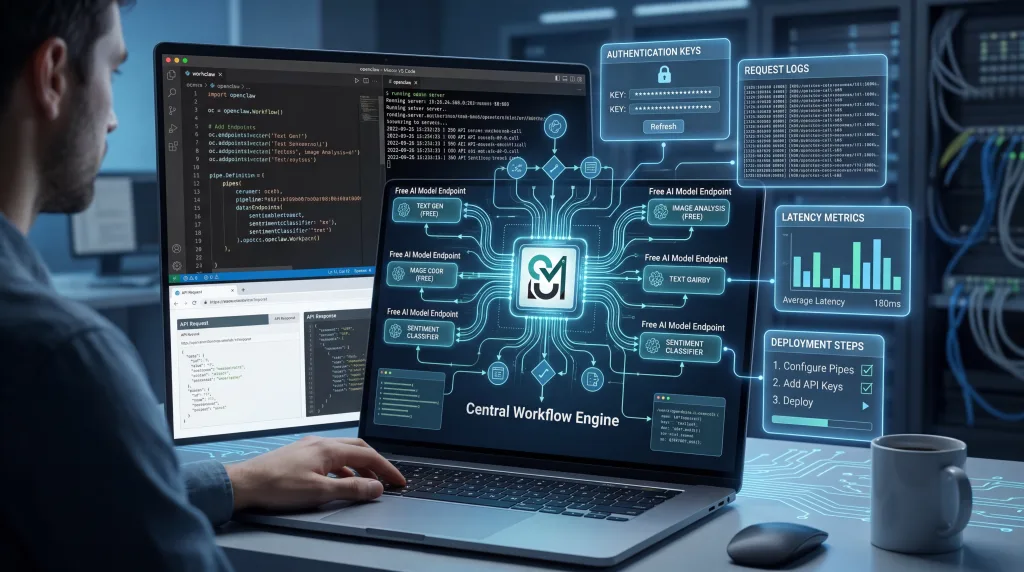
That is exactly why this guide exists.
This is a deep, practical, OpenClaw-first breakdown of the best free APIs you can use right now. Not a fluffy roundup. Not a lazy list. Not a “here are ten APIs, good luck” post. This is a hands-on comparison focused on what actually matters when you are wiring models into a personal agent, a self-hosted gateway, a code assistant, or a chat-based automation stack.
We are going to cover:
- which free APIs are actually worth your time for OpenClaw
- where each provider shines
- where each provider falls apart
- which ones are best for speed, coding, reasoning, multilingual use, and experimentation
- which ones make the most sense as a primary model versus a fallback
- how to think about “free” without getting trapped by tiny quotas or surprise friction
And yes, this article goes big. It includes 14 major free API options that OpenClaw users should know about, along with comparison tables, category rankings, setup guidance, and detailed pros and cons for every provider.
Table of contents
- Why free APIs matter so much in OpenClaw
- What makes a free API good for OpenClaw?
- The quick answer: the best free APIs for OpenClaw right now
- Full comparison table: free APIs for OpenClaw
- 1) Google Gemini
- 2) Groq
- 3) OpenRouter
- 4) Cerebras
- 5) GitHub Models
- 6) Cloudflare Workers AI
- 7) Mistral AI
- 8) Cohere
- 9) Zhipu AI / GLM
- 10) Hugging Face Inference Providers
- 11) NVIDIA NIM
- 12) Ollama Cloud
- 13) LLM7.io
- 14) Kluster AI
- So which free API is actually best for OpenClaw?
- Tier 1: The strongest starting points
- Tier 2: Very useful supporting options
- Tier 3: Good to know, good to test, not always the first choice
- Recommended OpenClaw stacks by user type
- The biggest mistakes people make when choosing a free API for OpenClaw
- Bonus: the “more if you can” section — extra no-cost routes OpenClaw users should not ignore
- Ollama local
- LM Studio
- llama.cpp
- vLLM
- LiteLLM
- The real answer: which provider would I personally choose?
- FAQ: Free APIs for OpenClaw
- Are free APIs actually enough for OpenClaw?
- Which free API is easiest to start with?
- Which one is best for coding in OpenClaw?
- Which one is best for multimodal OpenClaw setups?
- Which one is most resilient?
- Is OpenRouter better than going directly to one provider?
- Final verdict
- Further reading
Why free APIs matter so much in OpenClaw
OpenClaw is not just another chatbot front end. It is much more useful when it behaves like a persistent assistant layer: connected to channels, tools, workflows, memory, and sometimes code or automation tasks. That changes the economics.
A casual prompt tool can survive with almost any model. OpenClaw cannot.
Once you start doing things like:
- routing messages from WhatsApp, Telegram, Discord, or Slack
- handling coding and shell-heavy workflows
- attaching memory or retrieval
- using tools and structured outputs
- running fallbacks when one provider rate-limits you
- testing different model personalities for different agents
…your model provider starts to matter a lot.
In a normal chat app, a mediocre free tier is still usable. In OpenClaw, a mediocre free tier can quickly become annoying. You hit rate limits. Tool calls become inconsistent. model availability changes. A provider that looked “free enough” on day one suddenly becomes the weak link in your whole stack.
That is why the right question is not just “Which free API exists?”
It is:
“Which free API is actually good enough to live inside an OpenClaw workflow?”
That is the question this guide answers.
What makes a free API good for OpenClaw?
For OpenClaw specifically, I care about six things more than flashy benchmark screenshots:
| Factor | Why it matters in OpenClaw |
|---|---|
| Reliability | An always-on assistant is miserable if the model disappears or throttles too often. |
| Latency | Fast response times matter more in chat-based agents than in offline batch jobs. |
| Tool/JSON friendliness | OpenClaw gets much better when the model can follow instructions, return structure, and use tools reliably. |
| OpenAI compatibility or easy provider support | The less glue code you need, the better. |
| Quality-to-free-tier ratio | Some “free” APIs are technically free but too restrictive to be useful. |
| Fallback value | Even if a provider is not good enough as your primary model, it may still be excellent as a backup route. |
The biggest mistake OpenClaw users make is trying to find one perfect free provider. That usually ends badly.
The better strategy is to think in layers:
- Primary model for daily usage
- Fast fallback for when quotas or latency get ugly
- Experimental provider for testing new models
- Local route if you want maximum control
Once you think like that, free APIs stop being a gimmick and start becoming a real stack.
The quick answer: the best free APIs for OpenClaw right now
If you just want the practical shortlist before the long-form breakdown, here it is.
| Best for | Provider | Why it stands out |
|---|---|---|
| Best overall free route for most OpenClaw users | OpenRouter | Huge model variety, simple routing, good fallback value, easy to swap models without changing your stack. |
| Best free first-party API | Google Gemini | Strong multimodal capabilities, broad ecosystem support, very useful for experimentation when quotas line up with your region and workflow. |
| Best for raw speed | Groq | Ridiculously fast inference and a great fit for low-latency conversational agents. |
| Best for speed + open-weight experimentation | Cerebras | Very fast, growing model selection, and increasingly compelling for coding and reasoning tests. |
| Best for developers already living in GitHub | GitHub Models | Great for prototyping and comparing models without building a lot of plumbing. |
| Best for Cloudflare-native builders | Cloudflare Workers AI | Attractive if your stack already lives inside Workers and you want tight infra integration. |
| Best direct fallback for general work | Mistral AI | Clean provider, useful for fallback duty, especially when you want a strong non-router option. |
| Best variety on tiny budgets | Hugging Face | Huge catalog and great exploration value, though the free credits are small. |
| Best for OpenClaw users who want native Ollama semantics | Ollama Cloud | Nice bridge between local-style workflows and hosted evaluation. |
| Best under-the-radar budget gateway | LLM7.io | Easy OpenAI-style integration and enough free access to be worth testing. |
If you have time for only one recommendation, start like this:
- Primary: OpenRouter or Gemini
- Fast fallback: Groq or Cerebras
- Extra fallback: Mistral or GitHub Models
- Optional local route: Ollama on your own hardware
That setup covers a surprising amount of real OpenClaw usage without becoming expensive.
Full comparison table: free APIs for OpenClaw
Here is the big picture before we go provider by provider.
| Provider | Type | Best use case in OpenClaw | Main strength | Main weakness | Best role |
|---|---|---|---|---|---|
| Cohere | First-party | Summaries, classification-ish tasks, backup text routing | Clean APIs, solid enterprise feel | Free access is not especially generous for heavy agent usage | Fallback |
| Google Gemini | First-party | General assistant tasks, multimodal workflows, tool-heavy experiments | Strong model family and rich capability surface | Regional and quota reality can be annoying | Primary or fallback |
| Mistral AI | First-party | Lightweight everyday tasks, fallback routing, mixed text/image workflows | Straightforward and practical | Free tier is more evaluation-oriented than production-friendly | Fallback |
| Zhipu AI / GLM | First-party | Coding, Chinese-language tasks, agentic experiments | Strong coding energy and useful GLM family | English-language quota clarity is thinner than rivals | Experimental primary or fallback |
| Cerebras | Inference platform | Ultra-fast coding and assistant interactions | Very high speed and increasingly attractive free access | Model selection is narrower than big routers | Primary or speed fallback |
| Cloudflare Workers AI | Inference platform | Workers-native deployments and compact serverless AI workflows | Great infra story, OpenAI-compatible routes | Quotas are measured differently and can feel abstract | Experimental primary or fallback |
| GitHub Models | Inference platform | Comparing models, dev prototyping, internal tools | Easy access for developers already in GitHub | Best for prototyping, not sustained heavy agenting | Test bench or fallback |
| Groq | Inference platform | Fast conversational agents and coding assistants | Speed, speed, speed | Some model availability can shift fast | Primary or fast fallback |
| Hugging Face | Inference platform | Sampling many providers and models cheaply | Huge variety and flexible ecosystem | Free credits are tiny for daily OpenClaw use | Exploration or tertiary fallback |
| Kluster AI | Inference platform | Experimental use, testing another route | Interesting catalog, potentially useful bench option | Public limit clarity is weak | Experimental |
| LLM7.io | Inference platform | Simple OpenAI-compatible routing with light free use | Very easy to plug in | Lower brand trust and thinner ecosystem than top-tier players | Lightweight backup |
| NVIDIA NIM | Inference platform | Developer experimentation and open model access | Strong model lineup and OpenAI compatibility | Better for development/testing than pure free production use | Experimental fallback |
| Ollama Cloud | Hosted runtime | Bridging local and hosted model usage | Familiar Ollama workflow and no token obsession | Usage is “light” rather than predictably quota-based | Personal primary or backup |
| OpenRouter | Router | General-purpose OpenClaw routing and fallbacks | Massive flexibility and model breadth | Free models can vary in consistency | Best overall router |
Now let us get into the real details.
1) Google Gemini
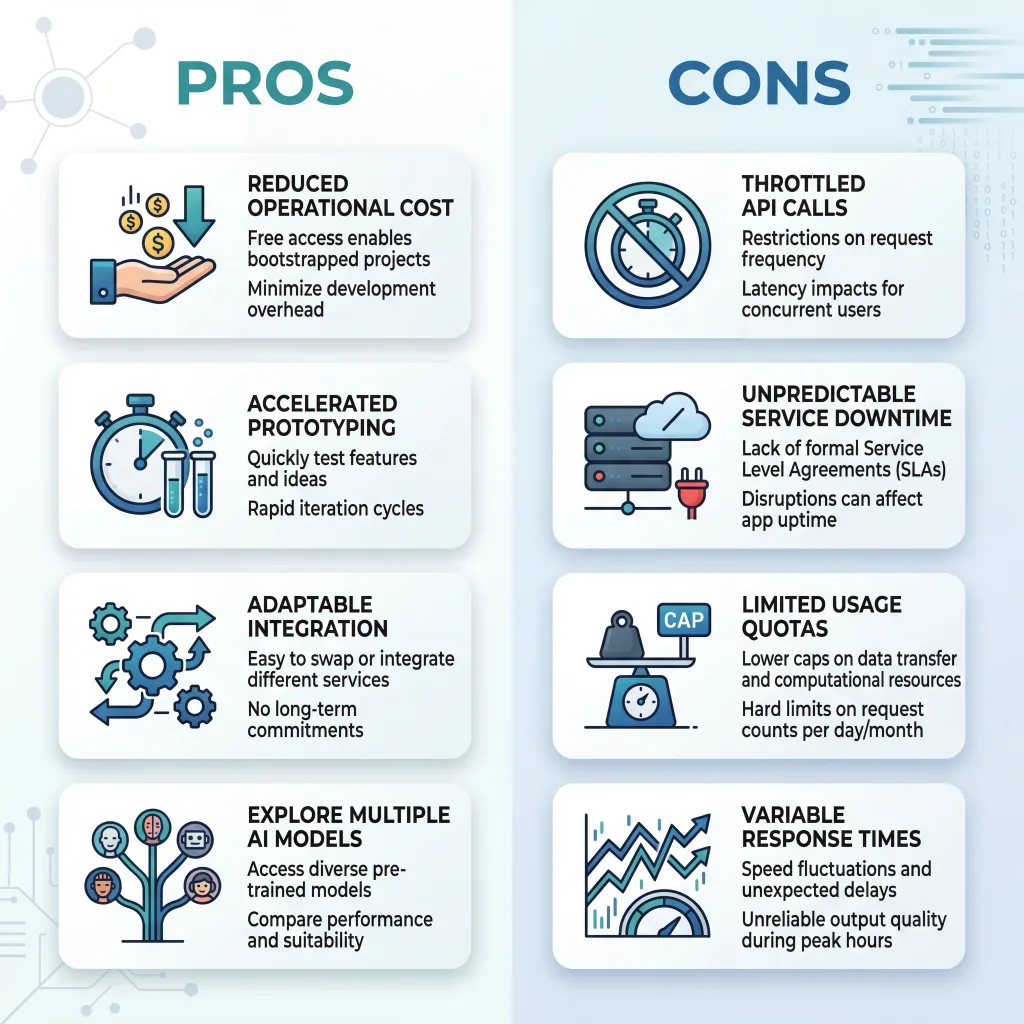
Google Gemini is one of the most obvious free API choices for OpenClaw users, and for good reason. It is one of the few first-party providers that can still feel genuinely useful in a real setup rather than just a toy playground. If you want a model that can handle everyday assistant work, multimodal input, tool-rich tasks, and a fairly modern developer experience, Gemini is hard to ignore.
The upside is easy to understand: you get access to a serious model family from a major provider, and OpenClaw already fits naturally with the idea of provider-based model routing. Gemini is especially attractive if your OpenClaw workflows include screenshots, documents, media understanding, or broader “agentic” tasks rather than just plain text chat.
The downside is that Gemini’s free-tier reality is not always as clean as the marketing version. Limits shift. Some models are more restricted than others. Regional or billing quirks can confuse people. And because OpenClaw tends to create real usage rather than tiny demo traffic, those limits can appear faster than you expect.
Pros
- Strong first-party model quality
- Good multimodal story for images, docs, audio, and richer assistant work
- Useful for general assistants, research help, and mixed media inputs
- Good long-term fit if you may eventually move from free to paid
Cons
- Free tier behavior can vary by model and region
- Quotas can feel generous one month and stingy the next
- Not the best choice if you want a permanently predictable free daily driver
Best OpenClaw role
Primary model for light users, or high-value fallback in a multi-provider stack.
My take
Gemini is one of the first providers I would test in OpenClaw, but I would not trust it as my only free route unless my usage is light and I have already checked my region, quotas, and fallback plan.
2) Groq
If your OpenClaw setup feels slow, Groq is the provider that makes you question why everything else feels slow.
Groq’s biggest selling point is not subtle. It is speed. When you wire a fast model into a chat-based assistant, the whole product feels better. Responses start quickly. Back-and-forth conversations feel more natural. Coding suggestions feel less sticky. Tool-driven interactions feel more like a real assistant and less like a loading screen.
That matters a lot in OpenClaw because latency compounds. It is not just the model call. It is channel delivery, tool use, follow-up calls, and retries. A very fast inference provider can make an agent feel dramatically more responsive even when the rest of the system is unchanged.
The catch is that speed is not everything. Groq is amazing for conversational fluency and fast coding loops, but you still need to think about model availability, quotas, and whether the model you want today will be the one you want next month. That is not a Groq-only problem, but it is part of the reality of relying on fast-moving model catalogs.
Pros
- Outstanding latency for chat-first OpenClaw usage
- Great for coding assistants, command helpers, and fast interactive agents
- OpenAI-compatible path is easy to work with
- Feels immediately better in day-to-day messaging workflows
Cons
- A speed-first provider still needs a backup for quota or catalog changes
- Not always the best “one provider forever” answer
- Model lineup can evolve quickly, so your favorite route may change
Best OpenClaw role
Primary model if speed matters most, or fast fallback paired with a more general provider.
My take
For OpenClaw chat workflows, Groq is one of the most satisfying free APIs to use. It is one of the few providers that can change the feel of your agent instantly.
3) OpenRouter
OpenRouter is the answer to a question many OpenClaw users eventually ask:
What if I stop trying to pick one provider and just use a routing layer that lets me move faster?
That is where OpenRouter shines. It is not the “best model company.” It is the best free routing strategy for many OpenClaw users because it gives you access to a huge model universe behind a familiar API surface. In practice, that means less lock-in, easier experiments, and much better fallback planning.
For OpenClaw, that is a huge deal. You can test different model families, shift between free variants, and keep your model-selection logic cleaner than it would be if you were constantly rewriting provider-specific setup. If your workflow changes from lightweight chat to coding to reasoning to document analysis, OpenRouter gives you room to adapt without ripping up your stack.
The downside is consistency. A router is only as good as the models you route to. Free models on routers can be excellent, but they can also be more variable than a stable paid first-party setup. If you treat OpenRouter as a lab plus fallback fabric, that is a strength. If you expect it to feel identical every day under all loads, you may eventually hit some rough edges.
Pros
- Probably the most flexible free API option for OpenClaw
- Huge catalog and simple experimentation
- Excellent for fallbacks, testing, and model swapping
- Familiar OpenAI-style integration pattern
Cons
- Free routes can vary in consistency
- A router adds another abstraction layer between you and the actual model host
- Best results still require some model curation and fallback design
Best OpenClaw role
Best overall router, best experimentation layer, and often best first stop for new OpenClaw users.
My take
If you only try one service before building a bigger OpenClaw model stack, make it OpenRouter. It is not perfect, but it gives you the most room to learn quickly.
4) Cerebras
Cerebras has become one of the more interesting options in the free API conversation because it combines something OpenClaw users care deeply about: very fast inference with a modern, developer-friendly posture.
Like Groq, Cerebras benefits from the fact that speed changes the emotional feel of an assistant. Fast models make an agent feel more available. When you are testing prompts, code workflows, shell tasks, or short problem-solving loops in OpenClaw, that matters more than raw benchmark bragging.
What I like about Cerebras for OpenClaw is that it feels like more than a gimmick. It is not just “wow, that was fast.” It increasingly looks like a serious provider for real coding and reasoning experiments, especially if you prefer open-weight ecosystems and want something that feels developer-first.
The weakness is that Cerebras is still not the broadest answer to every model need. Compared with a giant router, the model universe is smaller. Compared with a mature first-party giant, the ecosystem depth can feel lighter. But if your actual question is “Which free API makes my OpenClaw agent feel snappy without feeling low-end?” Cerebras deserves real attention.
Pros
- Extremely fast and pleasant to use in interactive workflows
- Strong option for coding and short-turn agent tasks
- Useful free access for experimentation
- Good developer vibe and increasingly compelling model mix
Cons
- Less broad than a mega-router
- Better when paired with another provider for coverage
- Not always the best single provider for every kind of OpenClaw workload
Best OpenClaw role
Speed-focused primary or excellent fast fallback.
My take
Cerebras is one of the most underrated OpenClaw-friendly options in this entire category. If you care about coding, chat feel, and low-friction iteration, it is absolutely worth testing.
5) GitHub Models
GitHub Models is a very developer-shaped answer to free model access, and that is exactly why it works for OpenClaw users who spend a lot of time building, testing, and comparing.
Its biggest strength is not raw generosity. It is convenience.
If you already live in GitHub, GitHub Models can become an unusually easy way to prototype with multiple models, compare outputs, and keep your experiments close to the rest of your development workflow. It lowers the activation energy. That matters more than people admit.
For OpenClaw, this is useful in two ways. First, it is a nice bench provider for figuring out which models behave well with your prompts and agent instructions. Second, it can serve as a lightweight backup route if you are already invested in the GitHub ecosystem and do not want one more dashboard to manage.
The downside is that GitHub Models feels more like a prototyping surface than a forever-free OpenClaw backbone. Rate limits exist for a reason. The product is clearly designed to support experimentation rather than unlimited always-on assistant traffic. If your OpenClaw setup is casual, that may be fine. If it becomes central to your daily work, you will probably want another primary provider.
Pros
- Fantastic for developers already inside GitHub
- Easy model comparison and evaluation
- Good prototyping environment
- Helpful as a testing layer before choosing a primary provider
Cons
- Not my first choice for sustained free daily agent traffic
- Better for experimentation than for heavy always-on usage
- Less attractive if GitHub is not already central to your workflow
Best OpenClaw role
Testing bench, prototype layer, or backup fallback.
My take
GitHub Models is not the flashiest answer, but it is one of the cleanest for developers who want less setup friction and more model comparison value.
6) Cloudflare Workers AI
Cloudflare Workers AI is one of those providers that makes more sense the more Cloudflare-shaped your stack already is.
If you are already running edge functions, Workers, or Cloudflare-native services, Workers AI becomes much more attractive because the surrounding infrastructure story is strong. You get a practical path to combining model calls with serverless logic, routing, auth, and edge deployment patterns without juggling a pile of extra components.
That makes it relevant for OpenClaw builders who are not just chatting with their agent, but actually turning it into a deployable service layer.
The good part is obvious: good integration story, OpenAI-compatible endpoints, and a broad enough catalog to matter. The less good part is that Workers AI can feel slightly more “platform-native” than “universal best answer.” If you are not already in the Cloudflare world, the value proposition can feel more abstract than something like OpenRouter or Groq.
Its free access model also feels different because it is tied to Cloudflare’s platform logic rather than the usual clean RPM/RPD style that many developers expect. That does not make it bad. It just makes it a little less intuitive for people who want a super simple mental model.
Pros
- Excellent if your infrastructure already runs on Cloudflare
- OpenAI-compatible routes reduce integration pain
- Good option for edge-heavy or serverless OpenClaw extensions
- Broad model support through the platform
Cons
- Less compelling if you are not already using Cloudflare
- Usage math can feel less intuitive than plain request quotas
- Often stronger as part of a platform strategy than as a standalone pick
Best OpenClaw role
Platform-aligned primary or infrastructure-friendly fallback.
My take
For the average OpenClaw user, Workers AI is not the first free API I would test. For the Cloudflare-native OpenClaw user, it jumps much higher up the list.
7) Mistral AI
Mistral occupies a very useful position in the OpenClaw world: not always the loudest choice, but often one of the most sensible.
A lot of free API roundups overhype the most exciting-looking providers and underappreciate the providers that are simply practical. Mistral often lands in that practical category. It is easy to understand, has strong developer credibility, and is a clean option when you want a direct provider instead of a router or meta-platform.
For OpenClaw, that matters because simplicity has value. When something breaks, a direct provider with a reasonably straightforward mental model can be easier to troubleshoot than a more layered route. Mistral also sits in a nice middle zone for people who want decent general-purpose capability without committing everything to a single giant ecosystem.
The main caution is that the free tier feels more like a developer evaluation path than a true production-grade free plan. That does not make it useless. It just means I would not design my whole OpenClaw life around Mistral-free-only unless my traffic is small and my fallback game is good.
Pros
- Clean direct provider with a strong developer reputation
- Good fit for fallback use in OpenClaw
- Sensible option for general-purpose assistant work
- Nice choice for people who prefer direct providers over routers
Cons
- Free access is more for trying and testing than for heavy daily agent use
- Less upside than router-style services if you like constant model experimentation
- Can feel limited if you are trying to build a “forever free” OpenClaw stack
Best OpenClaw role
High-quality fallback or light-use primary.
My take
Mistral is the kind of provider I like having in an OpenClaw stack even when it is not my main model. It is a calm, sane option.
8) Cohere
Cohere is often overlooked in casual LLM chatter, but it still deserves a place in an OpenClaw-focused free API guide because it brings a slightly different flavor than the speed-first or router-first crowd.
Cohere tends to feel more structured and enterprise-minded. That can be a plus when you want a provider that behaves predictably for classic text tasks like summarization, transformation, content cleanup, retrieval-style workflows, or classification-adjacent operations. It does not always get the same hype as more “frontier-feeling” providers, but in real systems, boring and useful can be a good combination.
For OpenClaw, I see Cohere less as the flashy main model and more as a useful secondary route. If you have an agent that needs to produce neat, controlled text, or you want a provider that can sit in the background as an alternate route for certain tasks, Cohere makes sense.
The catch is simple: compared with the most exciting free offerings, Cohere’s free path is not the most aggressive value proposition for people who want lots of daily assistant traffic at no cost. It is better treated as a tool in the bag than the entire bag.
Pros
- Solid for structured text workflows and cleaner prose tasks
- Useful fallback provider with a mature API feel
- Strong developer and enterprise credibility
- Nice fit for agents that summarize, rewrite, or organize information
Cons
- Less attractive than Groq, OpenRouter, or Gemini for many free-tier-first users
- Not the most generous-feeling option for chat-heavy OpenClaw traffic
- Not where I would start if speed or broad experimentation is the goal
Best OpenClaw role
Text-focused fallback or specialized secondary provider.
My take
Cohere is not the sexiest OpenClaw choice, but it is a useful one. That matters more than people think.
9) Zhipu AI / GLM
Zhipu AI, now often encountered through the broader Z.AI and GLM ecosystem, is one of the more interesting options for OpenClaw users who care about coding-heavy workflows, agent behavior, or strong performance in Chinese and multilingual contexts.
This provider stands out because it does not feel like a generic “also-ran” free API. The GLM family has real momentum in coding and agentic conversations, and for the right OpenClaw user, that can matter more than brand familiarity. If your assistant spends time in developer tasks, tool orchestration, or bilingual work, GLM can be genuinely attractive.
Where things get trickier is clarity. Compared with Gemini, Groq, or OpenRouter, public free-tier expectations can feel less obvious, especially if you are reading in English and trying to understand long-term quota behavior. That does not mean the platform is weak. It means the planning friction is a little higher.
For OpenClaw, I would treat Zhipu/GLM as one of the more promising “serious experiment” providers rather than an automatic default for every user.
Pros
- Strong coding and agentic positioning
- Especially relevant for Chinese or multilingual workflows
- Interesting alternative to the usual Western-provider stack
- More compelling than many people assume
Cons
- Public quota clarity is not as friendly as the top mainstream providers
- Slightly higher planning friction for new users
- Better after testing than before testing, if that makes sense
Best OpenClaw role
Experimental primary for the right workflow, or specialized fallback.
My take
If your OpenClaw use case includes coding and multilingual work, GLM deserves more attention than it usually gets.
10) Hugging Face Inference Providers
Hugging Face is one of the most useful free ecosystems in AI, but that does not automatically mean it is one of the best free daily drivers for OpenClaw.
This distinction matters.
Hugging Face is amazing when you want to explore. It is amazing when you want variety. It is amazing when you want to sample models, test providers, or avoid locking yourself too early into one vendor. It is also one of the best places to learn what kinds of models your OpenClaw workflows actually like.
But exploration value and operational value are not the same thing.
For OpenClaw, Hugging Face works best as a discovery layer or tertiary backup, not usually as the main free provider that powers your daily assistant life. The monthly credits are intentionally small. That is fine for trying things. It is not ideal if your agent handles lots of real conversation or automation events.
Still, I would never leave it out of this guide because the variety matters. Hugging Face is where many OpenClaw users will discover an open model they end up using somewhere else.
Pros
- Massive ecosystem and model variety
- Great place to experiment before committing
- Useful for open-weight exploration and niche model discovery
- Strong value for learning and prototyping
Cons
- Free credits are too small for most serious daily OpenClaw usage
- Better for exploration than for constant always-on traffic
- Can feel fragmented if you just want one clean provider story
Best OpenClaw role
Discovery platform, testing layer, or last-resort backup.
My take
Hugging Face is essential for experimentation. It is rarely my top recommendation as the main free OpenClaw engine.
11) NVIDIA NIM
NVIDIA NIM is one of those options that gets more attractive the more technical your mindset becomes.
If you care about open models, inference infrastructure, hardware-backed ecosystems, and modern developer tooling, NVIDIA NIM is worth watching. It offers a strong lineup, a very real developer story, and a path that feels much more serious than “random free endpoint on the internet.” For OpenClaw users, that matters because serious workflows eventually benefit from serious infrastructure choices.
The catch is that NIM often feels more like a development and evaluation lane than a forever-free assistant backbone. That is not a criticism. It is just a clearer description of what it is good at. You can absolutely use it to test powerful models and wire them into OpenClaw. You just should not confuse that with “this will definitely power everything I do for free forever.”
Where NIM shines is in its balance of credibility, model quality, and interoperability. If you want another OpenAI-compatible route with a meaningful model catalog and a strong ecosystem behind it, it is a very respectable option.
Pros
- Strong technical credibility and serious ecosystem support
- OpenAI-compatible integration path helps a lot
- Great for developers exploring modern open model workflows
- Good fit for experimentation around higher-end model access
Cons
- Better framed as development-friendly than as unlimited free daily use
- Not the simplest choice for casual users
- Usually stronger as a supporting provider than as the only provider
Best OpenClaw role
Experimental fallback or technical evaluation route.
My take
NVIDIA NIM is one of the better “I want a serious engineering-grade option in my stack” choices, especially for advanced OpenClaw users.
12) Ollama Cloud
Ollama Cloud is interesting because it sits in a place that many OpenClaw users understand intuitively: halfway between local freedom and hosted convenience.
If you already like Ollama’s model and API style, or you think in terms of local runtimes first, Ollama Cloud can feel refreshingly familiar. It also avoids some of the weirdness of token math because the service talks more in terms of usage and sessions than raw token billing. That is different, and for some users, honestly nicer.
For OpenClaw, Ollama Cloud is particularly attractive if you are not ready to commit to running everything locally, but you still want the Ollama-shaped workflow. It can act as a gentle bridge: local later, hosted now. Or local for your main agent, hosted for overflow and testing.
The downside is predictability. “Light usage” sounds friendly, but it is not as precise as a clear RPM/RPD table. For hobbyists, that is okay. For planners, that can be mildly annoying. Also, if you are expecting pure OpenAI compatibility, remember that Ollama has its own semantics and ecosystem shape, even though OpenClaw supports it well.
Pros
- Familiar and friendly if you already like Ollama
- Good bridge between local and hosted usage
- Nice fit for personal assistants and testing larger models
- Great philosophical match for self-hosting-minded users
Cons
- “Light usage” is less predictable than hard request quotas
- Not the best fit if you want purely standard router-style behavior
- More attractive to existing Ollama users than to total beginners
Best OpenClaw role
Personal-use primary for light traffic, or overflow/backup route for local-first setups.
My take
Ollama Cloud makes a lot of sense for OpenClaw users who are ideologically local-first but not operationally ready to be local-only.
13) LLM7.io
LLM7.io is a smaller-name provider compared with the giants in this article, but I still think it is worth including because it solves a very practical problem: sometimes you just want a straightforward, OpenAI-style endpoint with a free route that is easy to test.
That is the main appeal here.
LLM7.io does not win on brand prestige. It does not win on ecosystem gravity. It wins on simplicity. If you want to wire a provider into OpenClaw quickly and get useful responses without wading through a huge platform, it earns its place as a lightweight backup candidate.
This kind of provider matters because not every OpenClaw stack needs a superstar. Sometimes you just need a secondary route that can catch basic traffic when your main model is busy, rate-limited, or temporarily unavailable. A simple, decent free endpoint can do that job extremely well.
The caution is obvious: smaller ecosystem, thinner trust halo, less community gravity, and fewer reasons to make it your long-term center of gravity compared with OpenRouter, Groq, or Gemini.
Pros
- Easy OpenAI-style integration
- Fast to test and simple to understand
- Useful as a lightweight backup provider
- More practical than its lower profile suggests
Cons
- Smaller ecosystem and less proven long-term mindshare
- Fewer reasons to choose it as your main strategic provider
- Better as a utility route than as your centerpiece
Best OpenClaw role
Lightweight fallback or bench provider.
My take
LLM7.io is not my first recommendation, but it is the kind of practical secondary option that can quietly improve a resilient OpenClaw stack.
14) Kluster AI
Kluster AI is the hardest provider in this guide to rank confidently, which is exactly why it belongs in the guide.
There are always a few providers in the free API ecosystem that look promising, have some real potential, and may be worth testing, but still do not present the same level of public clarity as the more established names. Kluster sits in that category for me.
That does not make it bad. It makes it harder to recommend as a default.
For OpenClaw users, I would frame Kluster AI as an experimental lane. If you like trying emerging options, benchmarking behavior, and keeping an eye on alternative routes before they become mainstream, it has value. If you want the least risky first choice for your personal assistant, there are easier answers.
The reason I still include it is simple: resilient OpenClaw stacks benefit from knowing the broader field. Providers move up fast. A lower-visibility option today can become much more relevant tomorrow. If you like having one extra route in reserve, Kluster is worth a look.
Pros
- Useful to know if you like testing emerging providers
- Potentially helpful as another route in a diversified stack
- Interesting enough to benchmark, especially for niche workflows
Cons
- Harder to evaluate confidently than the better-documented options
- Not where I would send a new OpenClaw user first
- Better for experimentation than for trust-first daily usage
Best OpenClaw role
Experimental provider only.
My take
Kluster AI is a “keep an eye on it” option, not a “bet your whole OpenClaw setup on it tomorrow” option.
So which free API is actually best for OpenClaw?
After all that, here is the honest ranking I would use in the real world.
Tier 1: The strongest starting points
These are the providers I would recommend first to most OpenClaw users.
- OpenRouter
- Groq
- Google Gemini
- Cerebras
Why these four? Because they cover the four biggest OpenClaw needs:
- routing flexibility
- low latency
- first-party capability depth
- practical experimentation value
If you start with those four, you can build a surprisingly capable free or low-cost OpenClaw stack.
Tier 2: Very useful supporting options
These are not always the first thing I would plug in, but they are absolutely valuable.
- Mistral AI
- GitHub Models
- Cloudflare Workers AI
- Ollama Cloud
- Zhipu AI / GLM
This tier is all about context. The right one for you depends on whether you care more about direct providers, dev workflow, infrastructure alignment, or multilingual/coding behavior.
Tier 3: Good to know, good to test, not always the first choice
- Cohere
- Hugging Face
- NVIDIA NIM
- LLM7.io
- Kluster AI
These are still worth having on your radar, especially for experiments and backup routes, but I would usually not make them the center of my OpenClaw model plan.
Recommended OpenClaw stacks by user type
Here is where this gets practical.
Best free stack for most solo OpenClaw users
- Primary: OpenRouter
- Fast fallback: Groq
- Backup direct provider: Mistral or Gemini
- Optional local route: Ollama local or Ollama Cloud
This is the most balanced answer for people who want flexibility without a lot of drama.
Best free stack for coding-heavy OpenClaw use
- Primary: Cerebras or Groq
- Fallback: OpenRouter
- Specialized experiment lane: Zhipu / GLM or GitHub Models
- Local coding fallback: Ollama
This stack favors fast iteration and code-first workflows.
Best free stack for multimodal OpenClaw workflows
- Primary: Gemini
- Fallback: OpenRouter
- Infra-heavy alternative: Cloudflare Workers AI
- Extra experimentation: GitHub Models
If your OpenClaw setup looks at images, documents, or mixed inputs, this is usually the better shape.
Best free stack for “I want maximum resilience”
- Primary: OpenRouter
- Fallback 1: Groq
- Fallback 2: Mistral
- Fallback 3: GitHub Models
- Optional local emergency route: Ollama
This is the stack for people who hate having their agent go dark.
The biggest mistakes people make when choosing a free API for OpenClaw
1) Treating “free” as the same as “sustainable”
A provider can be free and still be a poor fit for OpenClaw. Tiny quotas, unstable availability, or poor tool behavior can make a technically free API worse than a very cheap paid one.
2) Trying to force one provider to do everything
You do not need one perfect provider. You need a good stack. OpenClaw works better when you accept that one model may be best for general chat, another for speed, and another for overflow.
3) Ignoring latency
People fixate on intelligence and forget that speed changes user experience. In a messaging-based assistant, fast enough is often more valuable than theoretically smarter.
4) Ignoring tool reliability
Some models look great in casual chat and become annoying when asked to follow strict structure, use tools, or obey system instructions consistently. OpenClaw exposes these weaknesses quickly.
5) Assuming the free tier you saw once will stay the same forever
This ecosystem changes. Constantly. Build with fallbacks from day one.
Bonus: the “more if you can” section — extra no-cost routes OpenClaw users should not ignore
The main article focused on hosted free APIs, but if you are serious about OpenClaw, you should also keep these zero-cost or near-zero-cost routes in mind.
Ollama local
This is still the cleanest answer for people who want true control. No provider rate limits. No changing free tiers. No dependency on a hosted service. You pay in hardware and electricity instead.
Best for: privacy, predictability, self-hosting ideology
LM Studio
Great for local experimentation and trying model behavior without committing to a heavier inference stack.
Best for: desktop testing and small local workflows
llama.cpp
Still one of the most useful building blocks for squeezing local models into small or custom environments.
Best for: technical users who want efficiency and control
vLLM
Excellent once your local or self-hosted ambitions become more serious and you want higher-throughput serving.
Best for: advanced users and team setups
LiteLLM
Not a model provider, but very useful as a normalization layer if your OpenClaw environment becomes messy and multi-provider.
Best for: complex multi-provider orchestration
These are not “free hosted APIs” in the same sense as the fourteen providers above, but they absolutely belong in the OpenClaw conversation.
The real answer: which provider would I personally choose?
If I were setting up OpenClaw today and wanted the best balance of free access, practical usability, and future-proofing, I would do this:
Stack A: the safe and smart route
- OpenRouter for flexibility
- Groq for fast interactions
- Mistral as a direct-provider backup
- Ollama local if I care about resilience and privacy
Stack B: the first-party heavy route
- Gemini as primary
- Groq as fast fallback
- GitHub Models for testing
- OpenRouter for breadth
Stack C: the builder’s route
- Cerebras for primary speed
- OpenRouter for coverage
- GitHub Models for evaluation
- Cloudflare Workers AI if my infra already lives there
The key point is not which one I like best. The key point is that OpenClaw gets better when you stop thinking “single provider” and start thinking “stack design.”
That is the shift that saves time, frustration, and eventually money.
FAQ: Free APIs for OpenClaw
Are free APIs actually enough for OpenClaw?
For learning, testing, and light personal usage, yes. For heavy daily assistant traffic, team workflows, or always-on automations, free APIs are usually enough only if you combine multiple providers and accept occasional limits.
Which free API is easiest to start with?
OpenRouter is usually the easiest strategic starting point. Gemini is also a good first-party option. Groq is one of the most satisfying if you care about speed.
Which one is best for coding in OpenClaw?
Groq and Cerebras are both strong places to start. Zhipu/GLM is also worth testing if coding is central to your workflow. GitHub Models is excellent for comparison and prototyping.
Which one is best for multimodal OpenClaw setups?
Gemini is one of the strongest answers here. Cloudflare Workers AI can also make sense depending on your infrastructure.
Which one is most resilient?
No single free provider is resilient enough by itself. The most resilient setup is a stack with at least two hosted providers plus one optional local route.
Is OpenRouter better than going directly to one provider?
For many OpenClaw users, yes. Not because it is always better on raw quality, but because it gives you flexibility, easier fallback logic, and faster experimentation.
Final verdict
If you only remember one thing from this article, make it this:
The best free API for OpenClaw is usually not one provider. It is the right combination of providers.
That said, some options are clearly stronger than others.
If you want the most broadly useful choice, start with OpenRouter.
If you care most about speed, test Groq and Cerebras.
If you want a serious first-party route, test Gemini.
If you want a clean backup, keep Mistral around.
If you want developer convenience, use GitHub Models.
If you want local-first philosophy with hosted breathing room, add Ollama.
And if you are building OpenClaw the right way, do not stop at one. Build a stack that can survive quota changes, model churn, and the weird reality of “free” in modern AI.
That is how you turn a free-tier experiment into an OpenClaw setup you actually enjoy using.
Further reading
OpenClaw
- OpenClaw documentation
- OpenClaw model providers
- OpenClaw OpenRouter provider docs
- OpenClaw Google provider docs
- OpenClaw Mistral provider docs
- OpenClaw NVIDIA provider docs
- OpenClaw Ollama provider docs
Provider documentation
- Google Gemini pricing and limits
- Groq docs
- OpenRouter free models and free variants
- Cerebras inference docs
- GitHub Models billing and prototyping docs
- Cloudflare Workers AI pricing
- Mistral usage tiers
- Cohere API keys and rate limits
- Hugging Face inference pricing
- NVIDIA NIM platform
- Ollama pricing
- LLM7.io docs
- Z.AI docs






 English
  Deutsch
  Español
  Italiano
  Français