 English
  Deutsch
  Español
  Italiano
  Français

AI for Business Growth: How OpenClaw, OpenCode, and Agentic Automation Help Companies Scale Smarter

Most companies are still using AI like a toy.
They ask it for a draft, a summary, a few headline ideas, maybe a cleaner email. That’s fine as a starting point. But it does almost nothing to change how the business actually runs.
The companies pulling away are doing something different. They’re turning AI into workflows, operating systems, and execution layers. They’re using it to qualify leads, route support, speed up internal decisions, ship code faster, document processes, and keep work moving when humans are asleep, in meetings, or overloaded. That gap is already widening. McKinsey says 92% of companies plan to increase AI investment over the next three years, yet only 1% consider themselves mature in deployment. Microsoft, meanwhile, argues a new kind of company is emerging: AI-operated, but still human-led.
That is the real story behind AI for business growth. Not novelty. Not prompt tricks. Not “one weird tool.” Operational leverage.
This article breaks down what that actually looks like in practice. We’ll cover the difference between casual AI use and real business transformation, what agentic AI means in plain English, where OpenClaw and OpenCode fit, how AI can improve sales, support, operations, marketing, internal knowledge, coding, and reporting, and what a sober 30-60-90 day rollout looks like for a company starting from scratch.
Why AI for Business Growth Is Becoming a Competitive Requirement
The market is changing faster than most teams can hire.
Customers expect faster replies. Buyers expect more personalized outreach. Internal teams expect better answers from the data they already have. Service leaders are facing rising expectations, and Salesforce’s latest service research says AI is expected to resolve 50% of service cases by 2027, up from 30% in 2025. At the same time, Microsoft’s 2025 Work Trend Index describes a shift toward organizations that redesign work around AI agents and human judgment rather than around headcount alone.
That matters because growth bottlenecks rarely come from a lack of ambition. They come from drag. Slow follow-up. Missed handoffs. Repetitive admin. Fragmented knowledge. Too much manual checking. A founder or department head ends up acting as the routing layer for the whole company. AI workflow automation doesn’t fix bad strategy, but it does reduce a surprising amount of operational friction.
This is why AI is moving from optional experiment to competitive requirement. A lean team with better systems can now outperform a larger team with slower processes. Not in every category. Not overnight. But often enough that serious operators can’t treat this as side-project technology anymore.
The Difference Between Using AI and Building an AI-Enabled Business
There’s a big difference between “we use AI” and “our company is AI-enabled.”
Using AI usually means isolated assistance. Someone writes a prompt. Someone gets a response. The output may be useful, but the process around it is still manual. A marketer pastes copy into the CMS. A sales rep still updates the CRM by hand. A support lead still triages tickets one by one. A founder still chases status updates in Slack.
An AI-enabled business works differently. AI is connected to systems, triggered by events, constrained by rules, and measured against outcomes. It can draft the follow-up, update the record, summarize the conversation, route the exception, flag the risk, and ask for approval when it hits a boundary. That is where margin improvement starts to show up. McKinsey’s maturity gap is useful here because it highlights the difference between scattered experimentation and workflows that actually drive business outcomes.
In other words, the value is not in the model alone. It’s in the workflow automation, integrations, prompt design, knowledge retrieval, approval logic, and human oversight around the model.
A chatbot can save minutes. A system can change the economics of the business.
What Agentic AI Means in Plain English

Agentic AI is one of those phrases that sounds more complicated than it is.
In plain English, it means the system can do more than answer. It can take a goal, break it into steps, use tools, retrieve information, make decisions within limits, and keep moving until the task is done or a human needs to step in. IBM defines agentic AI as a system that can accomplish a specific goal with limited supervision, while its overview of AI agents describes them as systems that autonomously perform tasks by designing workflows with available tools.
That distinction matters. A normal prompt-response tool might write a sales email. An agentic system can look up the account, score the lead, draft the email, update the CRM, schedule a follow-up task, and notify a rep if the lead matches enterprise criteria.
Used well, AI agents aren’t there to replace judgment. They’re there to reduce the amount of routine coordination that burns time across the company.
What OpenClaw, OpenCode, and Similar Tools Actually Do
For non-technical decision-makers, the easiest way to think about the modern AI stack is this: some tools connect AI to the business, and some tools help you build the things the business needs.
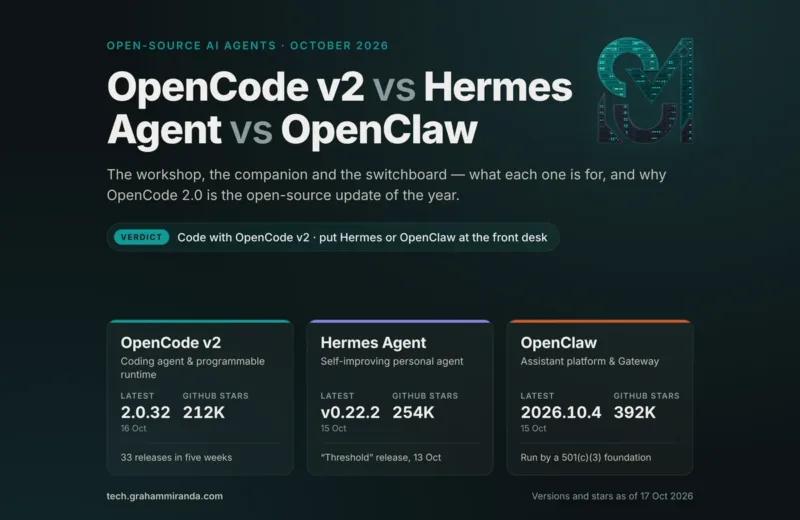
OpenClaw sits in the first category. According to its documentation, it is a self-hosted gateway that connects chat apps and channel surfaces such as Slack, Teams, Telegram, WhatsApp, Signal, Google Chat, and others to AI agents through a single gateway process. The docs describe it as self-hosted, multi-channel, agent-native, and open source, with sessions, routing, memory, and multi-agent support. In business terms, that makes OpenClaw useful as a chat-connected assistant layer for workflows and multi-channel operations, especially when teams want tighter control over data and deployment.
That framing matters. OpenClaw is not just “another chatbot.” It can be the layer that lets a team interact with business workflows from the channels they already use. A sales manager could trigger lead research from chat. An operator could ask for yesterday’s support summary. A founder could review a draft response, retrieve a policy, or kick off a recurring workflow without opening five tabs.
OpenCode sits in the second category. Its official docs describe it as an open source AI coding agent available in the terminal, desktop app, or IDE extension. The docs also say it supports 75+ LLM providers and local models, and its agent system allows specialized assistants with different prompts, models, permissions, and tool access.
That makes OpenCode relevant well beyond a pure engineering team. Yes, it can help developers write, refactor, debug, and plan code. But it can also accelerate internal tooling, automation scripts, integrations, QA helpers, reporting pipelines, CMS utilities, and product iteration. If your company wants more software leverage without adding a large engineering team, that is a serious business advantage.
The important point is that neither tool is magic on its own. OpenClaw becomes valuable when it’s tied to real workflows. OpenCode becomes valuable when it helps a team ship faster, reduce backlog drag, and turn ideas into working systems.
How AI Can Scale Core Business Functions
Sales
Sales is one of the clearest places to create operational leverage. AI agents can pull account context from the CRM, score leads, suggest next actions, prep reps before calls, draft personalized follow-up, and keep pipelines cleaner without asking sellers to do more admin. IBM’s sales guidance notes that agents can support lead generation and qualification, nurture inbound leads, engage through email or chat, and forecast opportunities using CRM and historical data.
The business outcome is simple: more speed, better prioritization, and fewer good opportunities dying in the gap between interest and follow-up. For founders and lean GTM teams, that alone can be worth the effort.
Customer support
Support is another high-value use case because it combines cost pressure with rising expectations. AI can handle repetitive questions, draft replies, summarize threads, classify urgency, surface knowledge-base answers, and escalate edge cases to humans with context attached. Salesforce says service organizations are dealing with higher customer expectations, and expects the share of service cases resolved by AI to rise sharply over the next two years. Anthropic’s recent research also found agents already being used for triaging customer service requests, while noting that most current agentic actions remain low-risk and reversible.
That last point is important. Good customer service automation does not mean fully autonomous support everywhere. It usually means faster first response, better triage, consistent summaries, smarter routing, and human review for exceptions.
Marketing and content operations
Marketing teams don’t just need more content. They need better throughput and stronger systems.
AI helps by speeding up research clustering, content briefs, first drafts, repurposing, metadata, internal linking suggestions, audience variants, and reporting summaries. It also helps teams keep campaigns moving when creative, SEO, lifecycle, and product marketing are all juggling deadlines. The smart play is not to publish raw AI copy at scale. The smart play is to use AI to make the editorial machine faster and more consistent.
This is where AI for business growth becomes tangible. A small marketing team can behave more like an editorial operation with clear pipelines, reusable prompts, QA checklists, and a human editor still owning strategy and final taste.
Operations and internal workflows
Operations is where AI business automation often pays for itself.
Think beyond “chatbot.” Think approvals, intake, SOP automation, vendor follow-up, meeting summaries, task creation, invoice classification, onboarding workflows, document retrieval, and internal status reporting. IBM’s broader AI agent guidance describes agents as systems that design workflows with available tools and use tool calling to obtain current information, optimize workflows, and create subtasks autonomously.
That is exactly why ops leaders should care. If you can remove ten manual handoffs from a weekly process, you don’t just save time. You reduce errors, improve consistency, and make the company easier to scale.
Internal knowledge management
Most companies have the information they need. They just can’t retrieve it fast enough.
Policies sit in docs. Pricing logic sits in old decks. Product details live in Slack threads nobody can find. AI systems tied to a good knowledge base can answer questions, retrieve documents, compare versions, and give teams a clearer starting point. That reduces interruption cost across sales, support, onboarding, and leadership.
The catch is that knowledge automation is only as good as the underlying source quality. Bad documentation plus AI does not create clarity. It creates confident confusion.
Software and product development
This is where tools like OpenCode become strategically important. Anthropic’s February 2026 analysis of agent usage found that software engineering accounted for nearly 50% of agentic activity on its public API. That’s a useful signal: development is still one of the clearest domains where agents already have real traction.
OpenCode’s structure lines up with that reality. It is built as an AI coding agent, supports multiple interfaces, specialized agents, broad model support, and local models. That means teams can use it for feature work, test generation, refactors, documentation, migration tasks, internal tools, and automation scripts while keeping more control over how it fits into the engineering workflow.
For a business, the upside is not just “developers write code faster.” It’s faster iteration, cheaper internal tools, quicker validation of product ideas, and less backlog rot.
Reporting and decision support
Leadership teams lose a lot of time to information cleanup.
AI can assemble weekly summaries, flag anomalies, generate board-ready drafts, compare pipeline changes, group customer feedback themes, and turn messy notes into structured decisions. Used properly, it shortens the distance between raw activity and clear management insight.
That does not mean you hand financial planning to a model and hope for the best. It means you reduce the manual prep work so leaders can spend more time making decisions and less time stitching slides together at midnight.
How a Small Team Can Operate Like a Much Bigger Company
This is where the upside gets real.
A 10-person team cannot match a 200-person company on raw headcount. But it can absolutely beat a larger team on response speed, documentation quality, follow-up consistency, and execution rhythm if it builds better systems.
With the right AI workflow automation stack, a lean company can stay responsive across time zones, keep lead follow-up moving, summarize meetings automatically, preserve internal knowledge, generate first-pass reporting, and ship internal fixes without waiting for a future hiring plan. Microsoft’s “Frontier Firm” framing is useful because it points to companies redesigning workflows around machine intelligence plus human judgment, not around hierarchy and manual coordination.
That’s the leverage point. Speed, consistency, and process scale matter more than many founders realize. A business does not become bigger only by hiring more people. It becomes bigger when it builds scalable systems that let each person produce more high-value output with less friction.
What an AI Workflow Stack Could Look Like
A realistic AI automation stack for companies usually has five layers.
First, a knowledge layer: your docs, SOPs, product information, CRM history, help center, and shared context.
Second, a conversation and access layer: this is where a tool like OpenClaw can make sense. If teams live in Slack, Teams, Telegram, or WhatsApp, a self-hosted, chat-connected gateway can become the front door to workflows, summaries, approvals, and internal information retrieval.
Third, an execution layer: workflow automation tools, CRM automation, support routing, notifications, scheduler logic, API calls, and approval steps.
Fourth, a build layer: this is where OpenCode and similar AI coding agents come in. They help technical teams build internal tools, refine integrations, create scripts, ship prototypes, and maintain the business infrastructure behind the scenes.
Fifth, a governance layer: permissions, logging, review queues, monitoring, fallback rules, and human oversight.
The modern AI-enabled company is not just “using ChatGPT more.” It has an automation stack with clear ownership, real workflows, documented prompts, retrieval systems, and rules about what can run automatically versus what needs approval.
Risks, Limitations, and Governance
This part should never be skipped.
AI can absolutely help a business scale faster. It can also create expensive problems when deployed carelessly. NIST’s AI Risk Management Framework exists precisely because organizations need structured ways to incorporate trustworthiness into the design, development, use, and evaluation of AI systems. OWASP’s GenAI Security Project, meanwhile, focuses specifically on the security and safety risks associated with LLM applications, agentic systems, and AI-driven apps.
The main risks are not mysterious. They’re practical.
Data leakage happens when sensitive information is exposed to the wrong model, tool, or user.
Hallucinations happen when the system sounds certain and is wrong.
Prompt injection is now a well-documented risk in LLM applications, where malicious or crafted inputs alter model behavior.
Then there are the business-process failures. Over-automation. Weak process design. No monitoring. No rollback plan. Unclear ownership. Agents making changes nobody reviewed. Anthropic’s research is especially useful here because it argues that effective oversight will require stronger post-deployment monitoring infrastructure as autonomy grows.
So yes, businesses should move. But they should move like operators, not tourists. That means role-based access, approved data boundaries, action logs, review loops for high-impact outputs, and explicit human confirmation for decisions that affect money, customers, contracts, or compliance.
Self-hosted AI can help with control and privacy, but self-hosting is not a substitute for governance. It simply gives you more control over where the system runs and how it is configured. You still need ownership, policies, and monitoring.
A Practical 30-60-90 Day AI Adoption Roadmap
A good rollout is boring in the right ways. Clear scope. Clear owner. Clear baseline.
First 30 days: map the friction
Start with a workflow audit, not a shopping spree. Identify the top five repetitive processes that slow revenue, service, or operations. Measure the current state: response times, lead follow-up lag, ticket handling time, content cycle time, reporting effort, developer backlog, or time spent on admin. Then choose one or two workflows with clear upside and relatively low downside.
This is also when you define your guardrails. What data can the system touch? Which actions require approval? Who owns prompt quality, workflow logic, and QA? If you skip this part, you’ll create activity, not results.
Days 31 to 60: build narrow pilots
Now build a few contained systems.
A strong early mix might be one revenue workflow, one support or ops workflow, and one internal productivity workflow. For example: lead qualification plus follow-up drafting, support triage plus knowledge retrieval, and weekly reporting summaries for leadership. If you have technical capacity, this is also a good time to use an AI coding agent like OpenCode to build the glue work that normal software roadmaps never prioritize: internal dashboards, connectors, content utilities, QA checks, and admin automations.
If your business works heavily in chat channels, this is where something like OpenClaw can be useful as an interaction layer. It lets teams trigger and review workflows from the channels they already use instead of forcing everyone into yet another interface.
Days 61 to 90: integrate, measure, and standardize
By this stage, the goal is not more experiments. It’s operationalization.
Connect the pilots to the systems that matter: CRM, help desk, docs, project tools, analytics, and approval steps. Create SOPs for how the team uses the workflows. Add monitoring. Set failure conditions. Review outputs weekly. Measure what changed.
This is also the right moment for a deeper implementation conversation. Not a vague “AI strategy” deck. A practical audit or consultation focused on where your business is losing time, margin, or speed right now, and which workflows deserve to become part of the permanent operating model.
Common Mistakes That Kill ROI
The biggest mistake is buying tools before designing workflows.
The second biggest is assuming one enthusiastic employee equals company adoption.
Other common failures follow the same pattern. No owner. No measurement. No documentation. No approval logic. Automating broken processes. Giving the system too much autonomy too soon. Treating prompt quality like a side issue. Ignoring security until after something goes wrong.
A lot of failed AI projects are not really AI failures. They are operations failures wearing modern clothes.
The businesses that get ROI usually do a few unglamorous things well: they pick real bottlenecks, keep the scope narrow at first, centralize knowledge, define accountability, and insist on human oversight where it matters.
Final Takeaway
AI will not magically turn every company into a giant.
But AI for business growth is already changing who scales efficiently and who gets buried under their own manual processes. The winners will not be the businesses with the most tools. They will be the ones that build the best systems: faster execution, cleaner handoffs, more consistent service, better internal knowledge, stronger development velocity, and more leverage per employee.
That is where OpenClaw, OpenCode, and agentic automation fit. OpenClaw can act as a self-hosted, multi-channel assistant layer for workflows and team operations. OpenCode can help companies build faster, automate more, and ship internal infrastructure without waiting on perfect conditions. Together with a sensible automation stack, they can help a lean business operate with a much larger company’s discipline and output.
The point is not to replace people. It is to remove drag, increase operational leverage, and build a company that moves faster without becoming chaotic.
That’s the real advantage. And the businesses that learn it early will be much harder to catch.
Yes, especially when it is tied to real workflows instead of used as a one-off writing tool. Small businesses tend to benefit most from AI in lead qualification, customer support triage, content operations, reporting, and internal process automation because those are the areas where manual bottlenecks pile up fastest.
There isn’t one universal stack. The best setup usually includes a knowledge layer, a workflow layer, system integrations like CRM and support tools, a chat or interface layer, and clear approvals. The right stack depends on where your current operational drag lives.
It means AI that can take a goal and do more than answer a prompt. It can plan steps, use tools, retrieve information, and complete parts of a workflow with limited supervision. IBM defines agentic AI as goal-driven AI that can accomplish specific tasks with limited oversight.
It can be, particularly for businesses that want a self-hosted, chat-connected assistant layer across multiple channels. OpenClaw’s docs describe it as a self-hosted, multi-channel gateway with sessions, routing, memory, and multi-agent support, which makes it useful for workflow access, internal ops, and chat-based execution. It is not the whole automation stack by itself, but it can be a strong front-end layer in one.
OpenCode helps by speeding up software work that usually slows growing businesses down: internal tools, integrations, scripts, QA helpers, product iteration, documentation, and backlog cleanup. Official documentation describes it as an open source AI coding agent that works in the terminal, desktop, or IDE and supports 75+ providers plus local models.
The big ones are data leakage, hallucinations, prompt injection, over-automation, weak monitoring, and unclear ownership. NIST’s AI RMF and OWASP’s GenAI security work both exist because these risks are real and need structured governance, not just good intentions.
Not always. Simple prompt libraries, content workflows, and some no-code automations can be set up by operations or marketing teams. But deeper integrations, self-hosted deployments, internal tooling, and governance-heavy systems usually benefit from technical support.
Start with a workflow audit. Find the tasks that are repetitive, time-sensitive, and measurable. Then run one or two narrow pilots tied to real business outcomes, such as faster lead follow-up, shorter support resolution time, or lower reporting effort.